
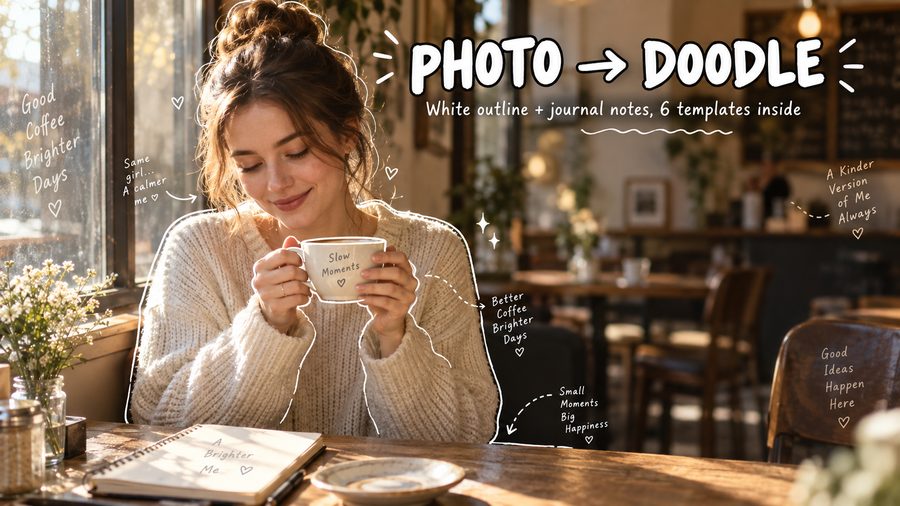
That white-outline style you keep seeing on Instagram and TikTok — thin hand-drawn lines around a person or a bowl of noodles, a couple of arrows, and two lines of handwritten notes like "this was so good" — it looks like it took a steady hand and an hour. It takes about 10 seconds and one prompt.
The catch is that most prompts for this style fail. People paste "make this photo look like a doodle" and get either a cartoon redraw (the photo is gone) or text slapped all over the subject's face. After testing this on dozens of photos, I can tell you the fix: the prompt has to carry three constraints, or the model freewheels.
- Keep the photo untouched — annotations are overlaid, not a redraw
- Give text a direction, not a sentence — let the model write based on what's in the photo
- Small white text that never covers the subject
Write those three things and the output is consistent, repeatable, and usable as-is.
What this style actually is
It's a photo-journal edit — sometimes called a plog (photo blog) or an annotated diary shot. The layers are always the same four:
- Outlines: thin white single-line strokes around people and objects, slightly uneven so they read as hand-drawn
- Guides: little hand-drawn arrows, dashed lines, curved lines steering the eye toward the notes
- Text: a few lines of casual handwriting — this is the soul of the whole thing
- Whitespace: annotations are sparse; big empty areas stay empty
The sentence that does the heavy lifting is the first one: the photo itself stays unchanged, only annotations are added on top. Leave it out and the model will happily redraw the entire photo in a "sketch style," which is not what you want.
The text layer: give a direction, not a sentence
This is the mistake beginners make every time: they hard-code the words — "write 'so yummy' in the corner" — and then the prompt falls apart on the next photo, because the text no longer matches the content.
Instead, describe the direction and let the model write naturally:
- Taste: rich and creamy / a little too spicy
- Feeling: golden hour hit different / best day ever
- Vibe: messy kitchen, happy heart / slow morning
- Little thoughts: slightly burnt but still good / worth the walk
And always add the hard rule: text is small, white, and does not cover the subject. Without it, the model fills the whole image with words.
The core prompt (start here)
Overlay hand-drawn journal-style annotations on the photo: use thin white hand-drawn outline strokes along the contours of the people and objects, slightly uneven like a pen sketch; add small hand-drawn arrows, dashed lines, and curved lines to guide the eye; add short handwritten notes in a casual, personal tone — describe taste, mood, or the moment in a few words, like a diary scribble; keep the text small, white, and clear of the subject; leave generous whitespace; the photo itself stays completely unchanged, just annotations added on top.
This one prompt covers most photos. Swap the scene words and it adapts.
6 templates, ready to copy
Same usage every time: upload the photo as a reference, paste the prompt, don't change the structure.
1. Daily journal (people, the most versatile)
Overlay hand-drawn journal annotations on the photo: thin white pen-style outlines along the contours of the person and objects, slightly uneven; small hand-drawn arrows, dashed lines, and curved lines guiding the eye; a few short handwritten notes like diary scribbles — a food note, a mood note, what the moment felt like; text small, white, not covering the subject; a few tiny hearts and sparkles; generous whitespace. The photo stays unchanged, annotations only.
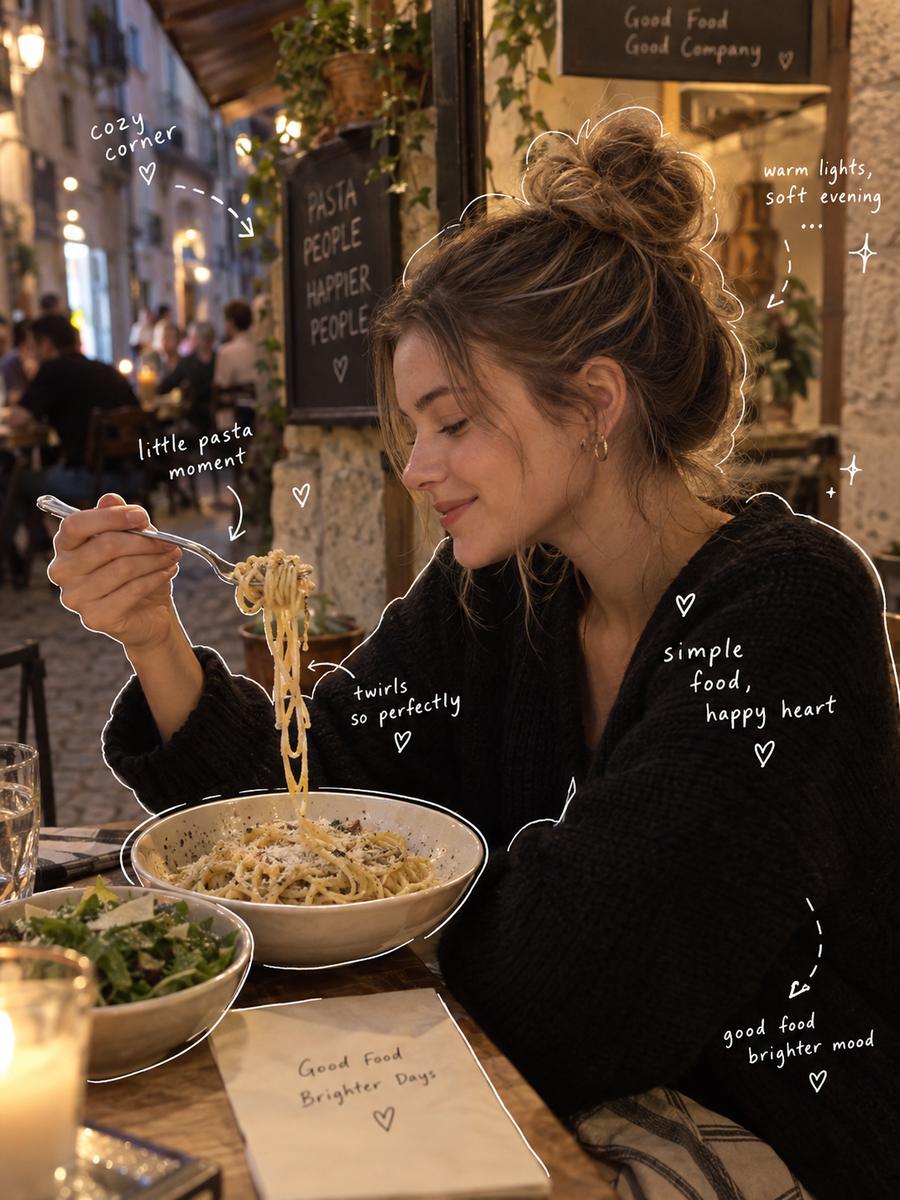
2. Study notes (desks, laptops, books)
Overlay hand-drawn study-note annotations: thin white single-line outlines around each element, slightly wobbly; arrows and dashed lines pointing to short handwritten labels like margin notes — concise, factual, no feelings; the photo stays unchanged, like a page that was carefully annotated.
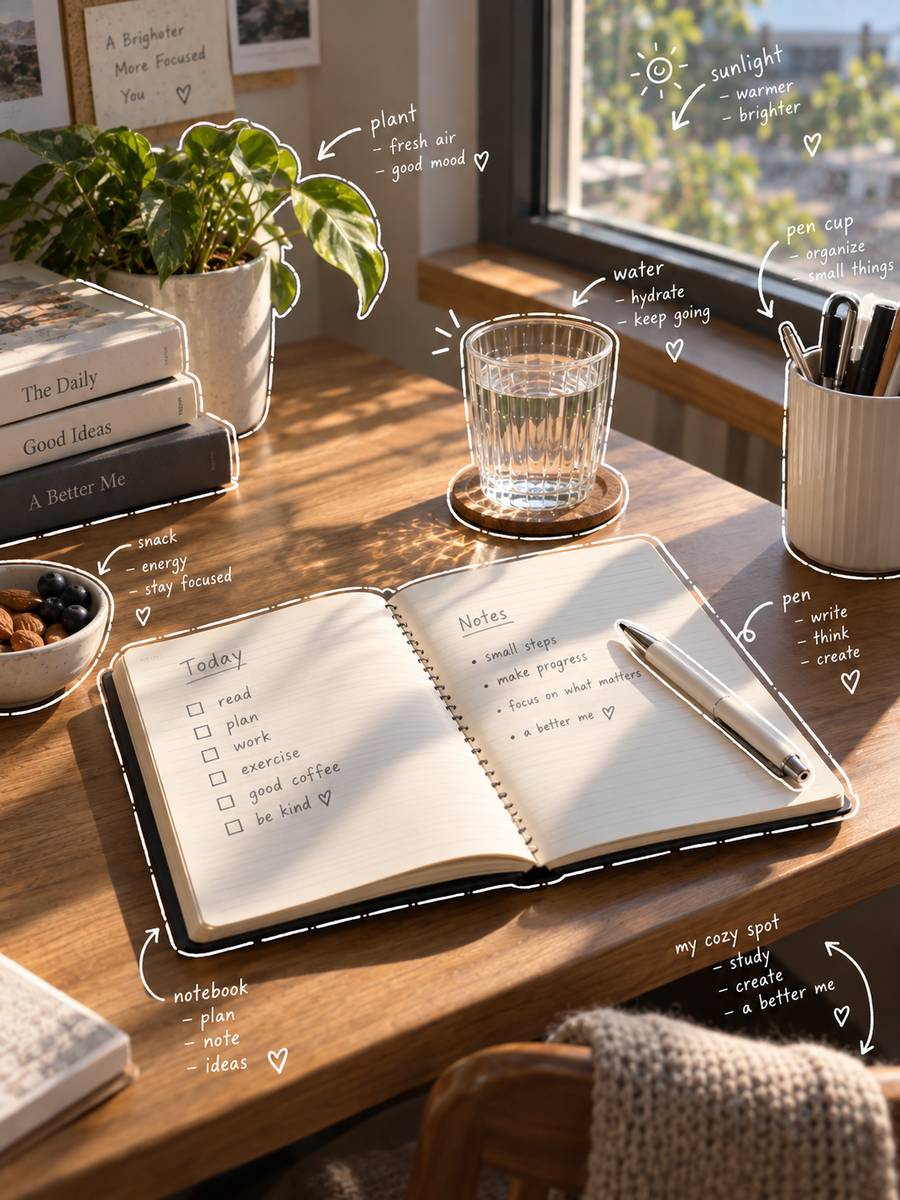
3. Travel journal (landscapes, streets)
Overlay hand-drawn travel-journal annotations: thin white outlines around buildings, trees, people; arrows and dashed guide lines; short handwritten notes with the place name and a one-line thought about the trip; text small, white, not covering the scene; a few tiny sparkles; whitespace preserved. The photo stays unchanged, like a page from a travel diary.
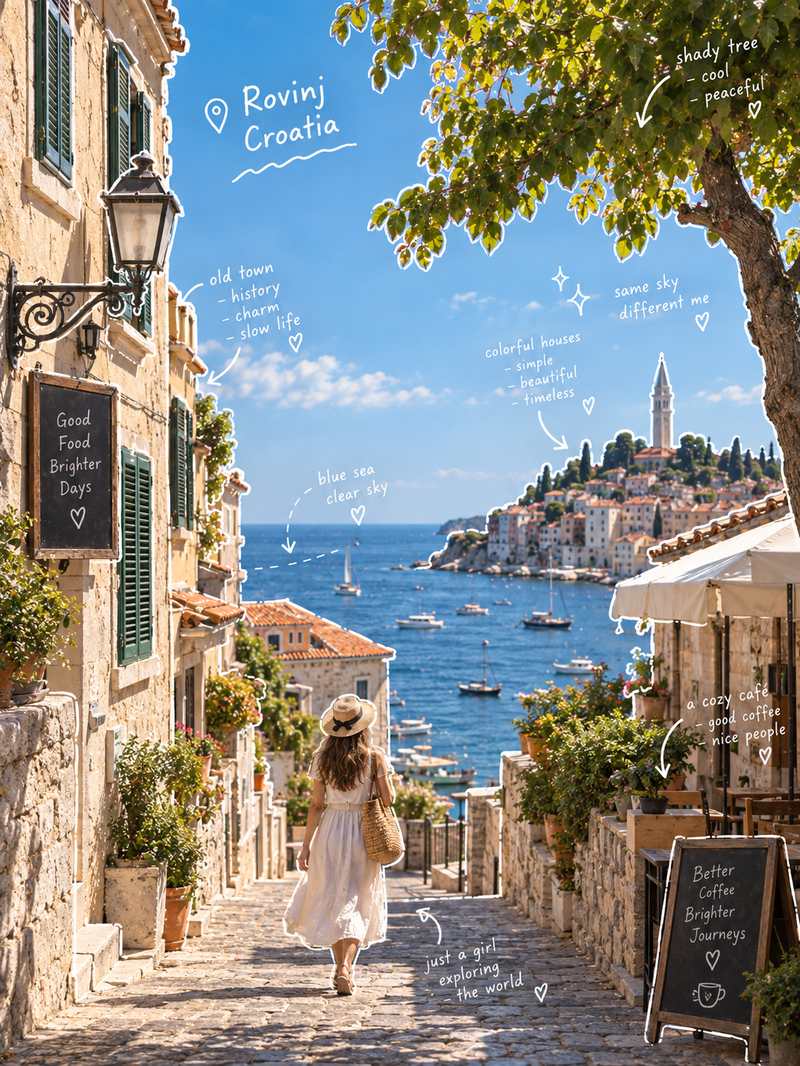
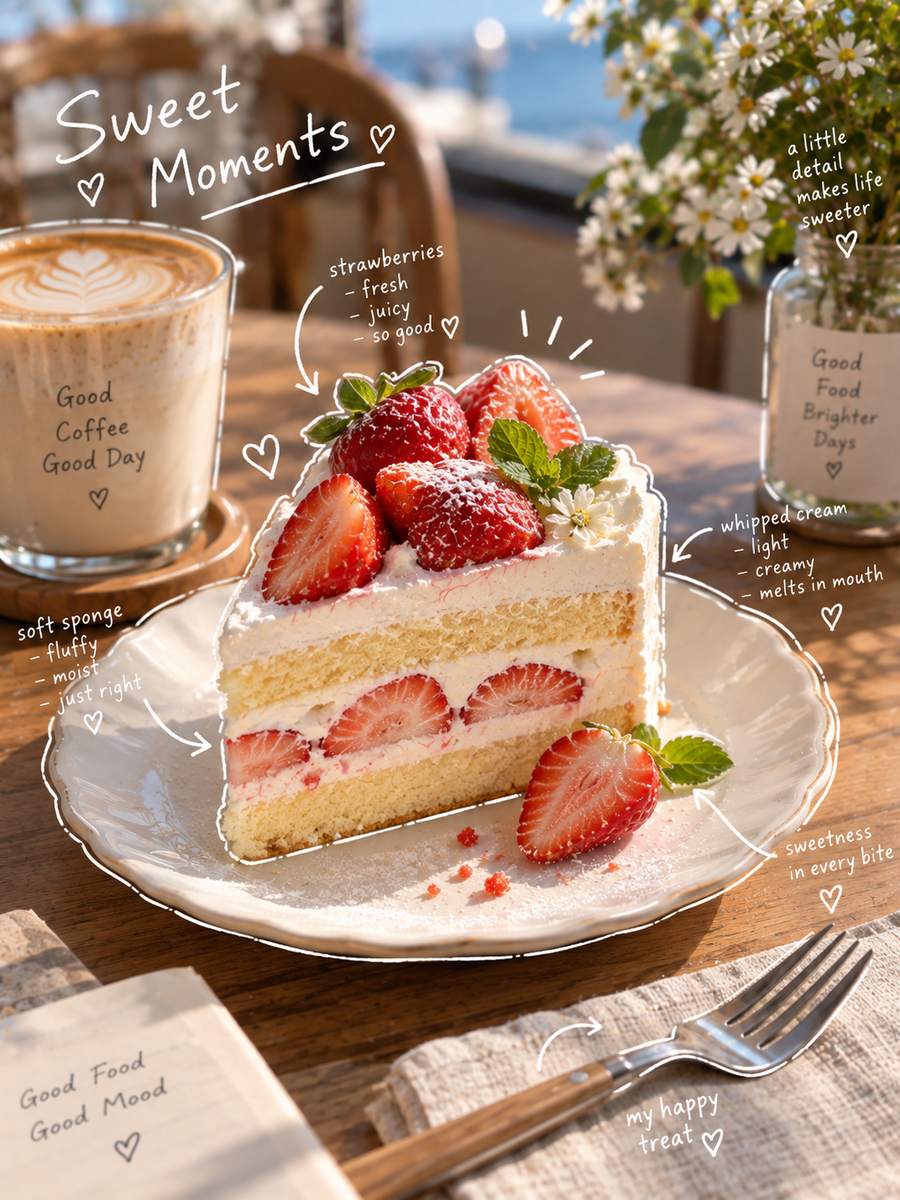
4. Food journal (close-ups)
Overlay hand-drawn food-journal annotations: thin white outlines along each dish and plate, slightly uneven; arrows pointing to short handwritten notes about taste; text small, white, not covering the food; maybe a tiny heart or steam swirl; whitespace preserved. The photo stays unchanged, like a food diary entry.
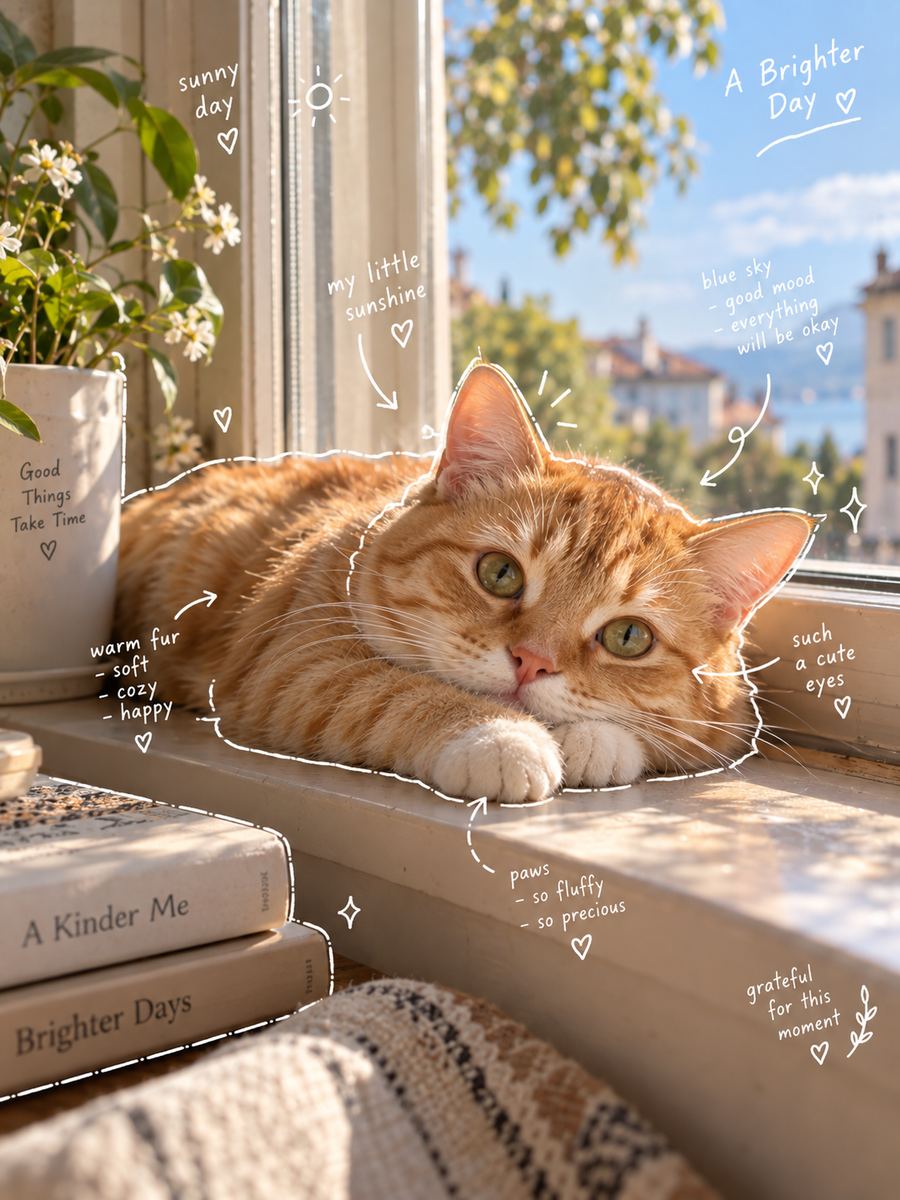
5. Pet or portrait (cute and quiet)
Overlay hand-drawn journal annotations: thin white outlines along the pet's or person's silhouette, naturally wobbly; a few hand-drawn hearts, sparkles, tiny stars; short handwritten notes like a soft thing you'd say to them; text small, white, not covering the face; clean, airy, lots of whitespace. The photo stays unchanged.
6. Color notes (when you want it playful)
Overlay colorful hand-drawn marker annotations: pastel pink, mint, pale yellow, and orange marker lines along the subject's outline, slightly uneven; matching colored arrows and dashed lines; short handwritten notes in pastel colors describing the mood; small text, nothing covering the subject; playful but clean, whitespace preserved. The photo stays unchanged — no sticker collage look.
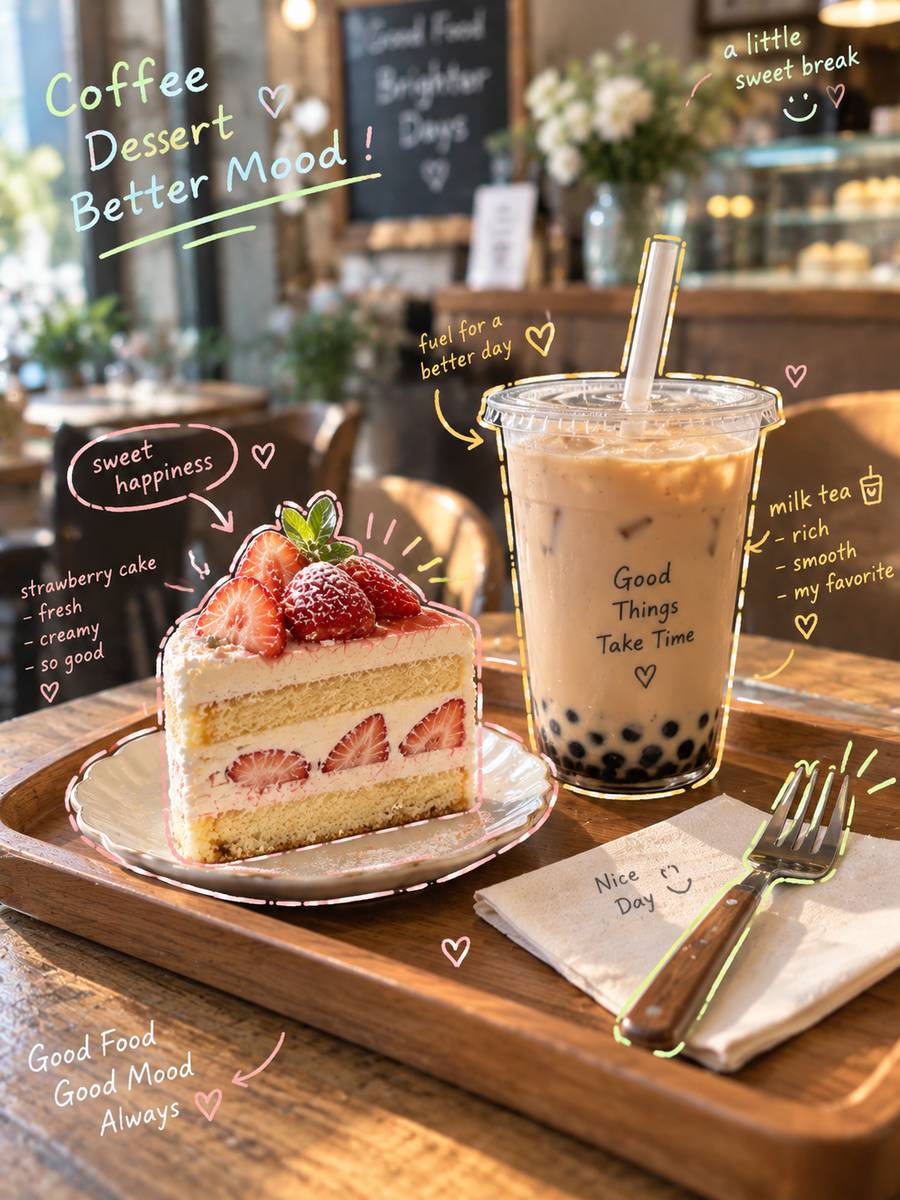
The only differences between these six: the subject, what the notes talk about, and the color. Everything else is the same skeleton.
Fixes for the 4 common failures
Look at the same cafe photo treated two ways — the left buries the subject under big messy text, the right keeps small notes in the whitespace. The difference is obvious at a glance.
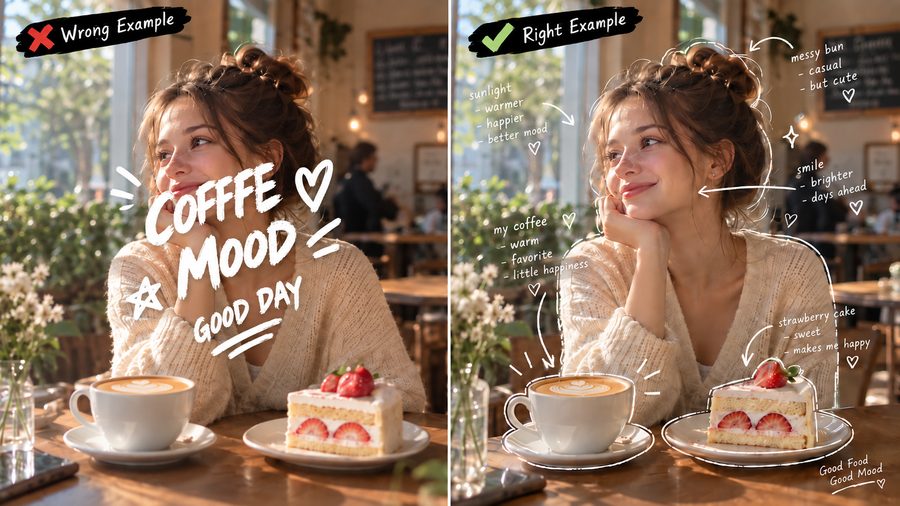
1. Garbled or misspelled text — short phrases (under 8 characters) fail less; avoid rare words; regenerate a single region instead of the whole image 2. Text covering the face or subject — add "text sits along the outlines, outside the subject, never covering the face" 3. Drifts into full cartoon redraw — you probably used words like "convert" or "redraw"; delete them and move "the photo stays unchanged" to the front 4. Too dense, too busy — add "generous whitespace, sparse annotations" to force the density down
What makes a good input photo
- One clear subject — a person, a pet, a dish, a building
- Even light — natural light; harsh flash makes the outlines look dirty
- Simple background — more contrast for the strokes and text
Generate a few versions of the same prompt and pick the one with the cleanest text and the most comfortable whitespace.
FAQ
Q: Does this work on any photo? A: Yes, but clear subject, even light, and a simple background give the best results. Very old or heavily flash-lit photos come out muddy.
Q: Why can't I hard-code the words in the prompt? A: Because the text stops matching the photo on the next image. Describe the direction ("short handwritten notes like diary scribbles") and the model writes content that fits what's in the frame.
Q: Color or white? A: White reads as quiet journal aesthetics and works on most photos; color reads as playful. If you pick color, name the palette, or the model picks its own.
Q: Text keeps coming out wrong. What now? A: Shorter phrases, fewer uncommon words, quote the exact words you need in the prompt, and regenerate just the broken region. Sample a few times before changing the whole prompt.
If you want to skip the trial-and-error, there are more working examples and variations of this style on ccprompt.com — search "doodle annotation" there and adapt what you find.
---
Note: All sample images in this article were generated with AI tools (GPT); results may vary slightly depending on the model you use.