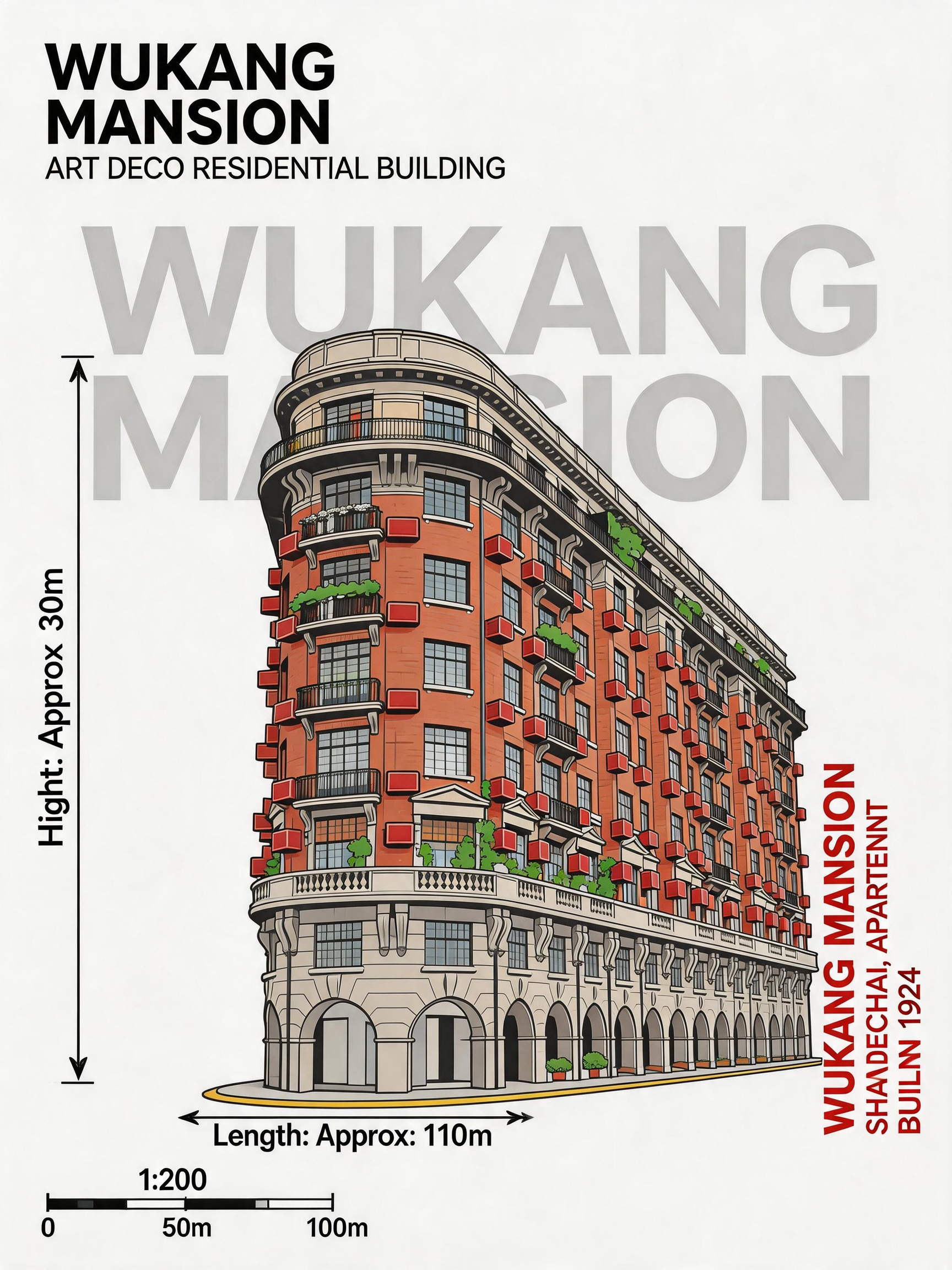
Architectural Photo to Infographic Vector Illustration AI Image Prompt
## Refer to the uploaded architectural photo, convert the building subject into a 2D vector illustration in architectural infographic style. Preserve the building's main outline, structural proportions, roof form, facade hierarchy, window and door distribution, decorative details, material characteristics, and representative colors. Remove sky, crowds, streetscape, vehicles, trees, and complex backgrounds. The image has a white or light background, the building is centered frontally, composition is symmetrical, resembling an architectural elevation, architectural drawing, building encyclopedia poster, or city landmark infographic. Use clear dark outlines, flat color blocks, simple shadows, and a few highlights for a clean, modern, professional architectural illustration. Add an English title at the top left, generated based on building type, e.g., Tower, Temple, Museum, Cathedral, Palace, Bridge, House, Pavilion, Skyscraper. Behind the building, add oversized light gray text as background decoration, the text being the building name, location, or building category, with low transparency, not obscuring the subject. Add measurement annotations based on the building's actual dimensions and type; the annotations must match the specific building; do not use fixed Height or Width values. For vertical buildings such as towers, pavilions, churches, temples, skyscrapers, add a height measurement line on the left and annotate "Height:[actual height]". For horizontal or expansive buildings such as bridges, corridors, city walls, stadiums, houses, museums, add a length, width, or span measurement line at the bottom, and annotate "Length:[actual length]", "Width:[actual width]", or "Span:[actual span]" as appropriate. If actual dimensions are unknown, keep only the measurement line and label without adding a specific number, or use "Approx." to indicate an estimate; do not fabricate data. Add a simple scale bar in the corner, and add vertical red explanatory text on the right side, content being the building name, city, building type, or completion year. Overall style references architectural science infographics, city landmark archive posters, modern architectural survey illustrations, high-definition, neat, clear lines, unified colors, ample white space, with a professional design sense.
Content: Subject: building photo to 2D vector illustration; Scene: white background; Style: architectural infographic/elevation/drawing; Composition: centered frontally, symmetrical; Lighting: simple shadows + few highlights; Color: flat color blocks + representative colors; Material: vector blocks; Lens: none; Proportion: dimension annotations + scale bar; Extras: top-left title, gray background text, right-side vertical red text.
Pros: Detailed rules, highly reproducible
Cons: Heavily reliant on reference image, complex rules may cause inconsistency
Reference image: Clearly relies on reference image (uploaded architectural photo)
Curated from publicly available creative examples. Prompts and commentary are edited and organized by this site. Please contact us with any rights concerns. Copyright & Privacy