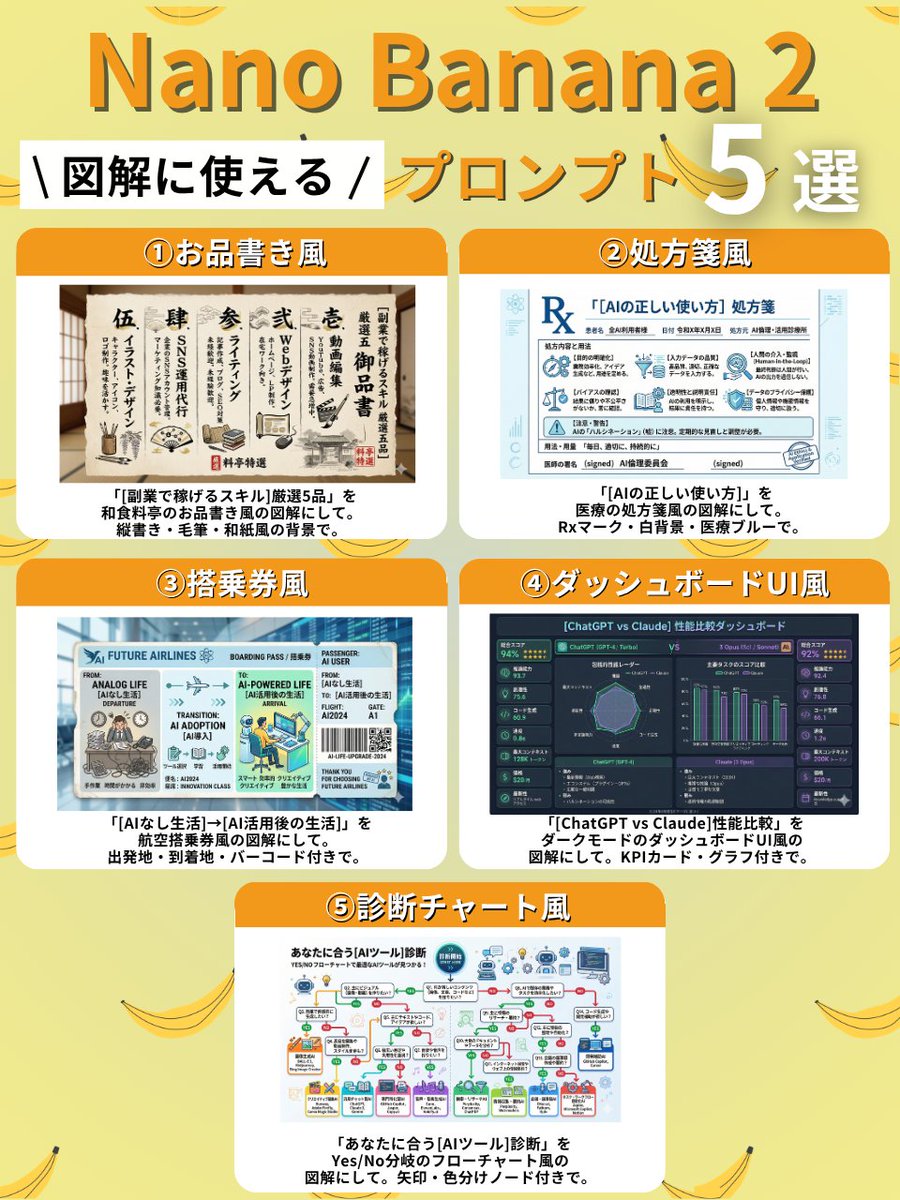
Japanese Menu Style Skills Chart AI Image Prompt
① Menu Style Create a diagram of "5 selected skills to earn money with side jobs" in the style of a Japanese restaurant menu. Use vertical writing, brush strokes, and a Japanese paper-like background. ② Prescription Style Create a diagram of "correct way to use AI" in the style of a medical prescription. Include an Rx mark, white background, and medical blue color. ③ Boarding Pass Style Create a diagram of "life without AI → life after AI utilization" in the style of an airline boarding pass. Include departure point, destination, and a barcode. ④ Dashboard UI Style Create a diagram comparing the performance of "ChatGPT vs Claude" in the style of a dark mode dashboard UI. Include KPI cards and graphs. ⑤ Diagnosis Chart Style Create a diagnosis chart for "AI tool" that suits you, in the style of a Yes/No branching flowchart. Include arrows and color-coded nodes.
Content: Multiple templated diagram generation prompts, each with a fixed visual style (Japanese restaurant menu, medical prescription, boarding pass, dark dashboard, branching flowchart) and replaceable parameters (marked as {argument}). Users need to provide specific parameter values to generate diagrams in that style.
Pros: Structured templates, easy to reuse; each style is clearly described with strong direction.
Cons: Parameter placeholders (like {argument}) need manual replacement, not directly generable; templates lack unified logic, user must choose.
Reference image: No obvious reference-image dependency
Curated from publicly available creative examples. Prompts and commentary are edited and organized by this site. Please contact us with any rights concerns. Copyright & Privacy