Camera Component Separation and Movement AI Image Prompt
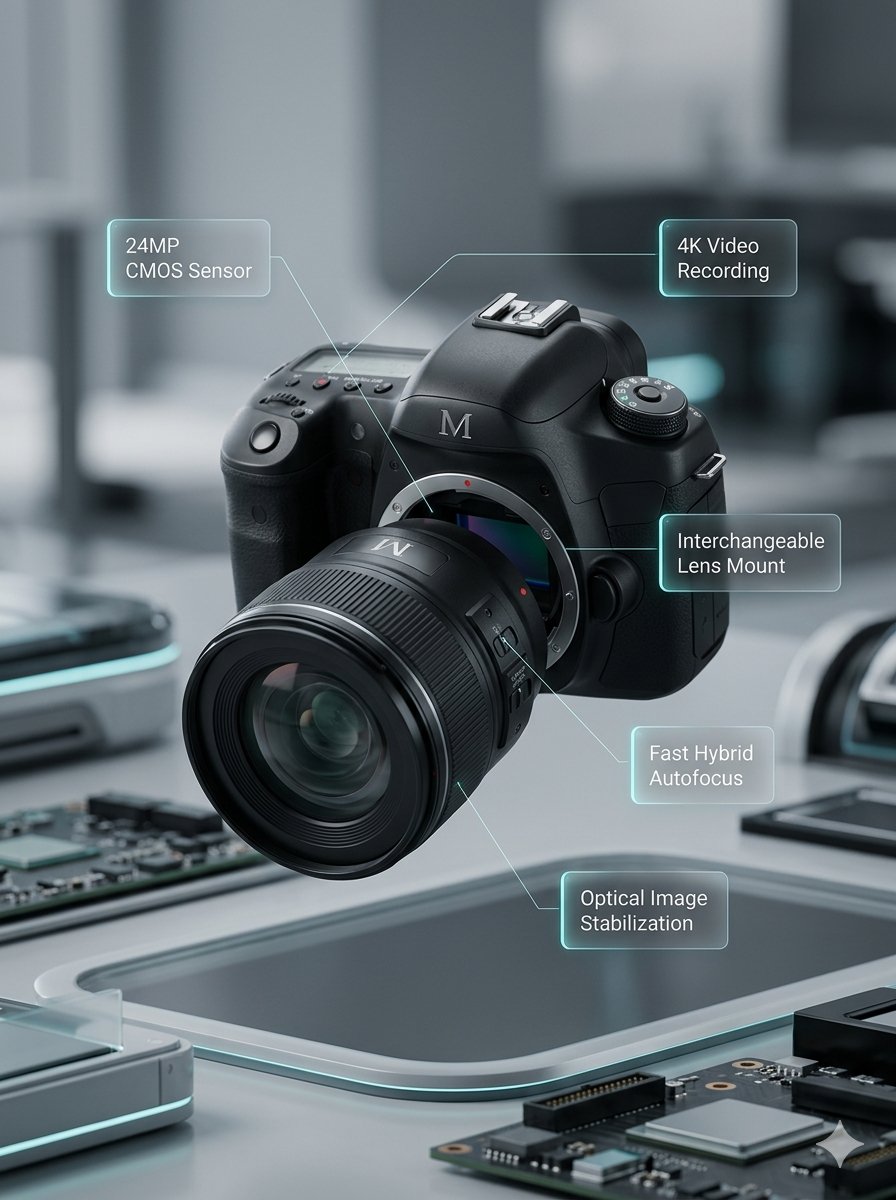
Image Prompt 1: Clearly separate all components with visible spacing. Move the lens forward and split it into several segments. Separate the camera body into three sections: upper section moves upward, left section moves left, right section moves right. Use elements present on the assembled camera, add electronic parts inside. No annotations. Image Prompt 2: Create a realistic high-end product visualization of a fully assembled M DSLR camera with detachable lens floating slightly in the air. The device has a premium matte black body with subtle metallic details and engraved M branding. Background is a softly blurred modern tech environment with depth of field and subtle motion blur, no people visible. Cinematic studio lighting with realistic reflections and premium product rendering. Around the camera appear five minimalist technical UI annotations with thin lines pointing to components. Each annotation sits inside a small semi-transparent glass UI panel with soft glow and subtle cyan edge lighting, improving readability. Clean modern sans-serif typography. Annotations: 24MP CMOS Sensor 4K Video Recording Interchangeable Lens Mount Fast Hybrid Autofocus Optical Image Stabilization
Content: Subject: camera disassembly and assembled product. Prompt1: exploded view with separated components, segmented lens, internal electronics. Prompt2: floating complete body with glass UI annotations pointing to components. Scene: solid color background (P1) or blurred tech environment (P2). Style: diagrammatic / premium product render. Composition: P1 distributed, P2 centered floating. Lighting: P1 unspecified, P2 cinematic studio. Lens: P2 includes depth of field and motion blur.
Pros: 1. Clearly distinguishes disassembly and final product views for comprehensive product illustration. 2. Prompt2 defines detailed annotation styling (glass panel, glow, font) for readability.
Cons: 1. Style gap between prompts (diagram vs realistic render) may require unification. 2. Prompt1 lacks color/material specification, possibly inconsistent with Prompt2.
Reference image: No obvious reference-image dependency
Curated from publicly available creative examples. Prompts and commentary are edited and organized by this site. Please contact us with any rights concerns. Copyright & Privacy