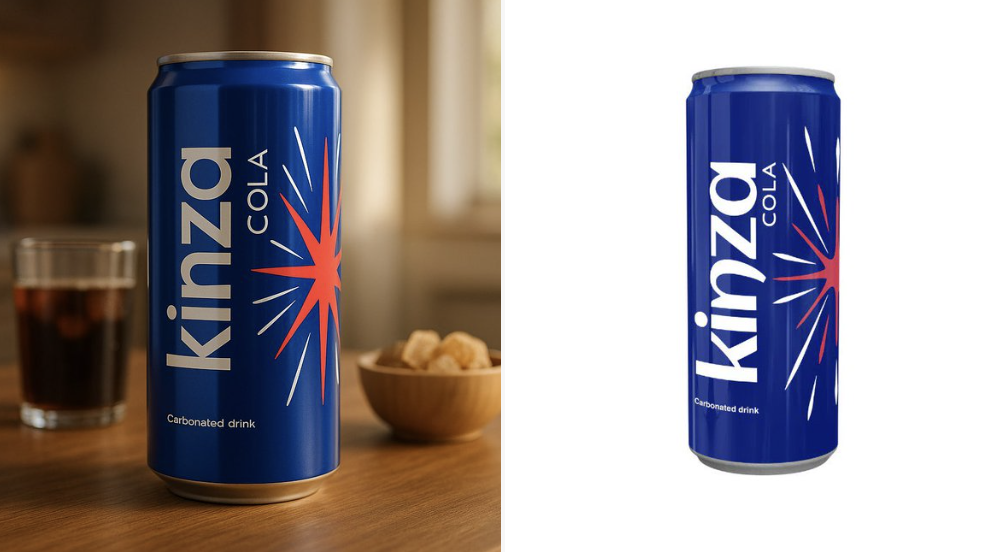
Cinematic real-life product display with original image AI Image Prompt
Use the uploaded product image exactly as it is — do not alter, redraw, or reinterpret any part of it. Follow the guidelines below to create a high-quality, cinematic product presentation: • Keep the product fully intact — all text, labels, proportions, packaging, and colors must remain exactly the same. • Use natural or cinematic lighting to enhance the product’s appeal. • Place the product on a realistic surface that matches its category (e.g. wooden kitchen table for bread, bathroom shelf for skincare, desk for tech gadgets). • Add complementary props if appropriate (e.g. toast and coffee for bread, leaves and water droplets for skincare) — but do not let them touch or cover the product. • Use a softly blurred or ambient background (e.g. kitchen, morning window light, minimal interior). • Include soft shadows and subtle reflections for a grounded, photo-realistic effect. • Final result should feel premium, natural, and visually appealing — with 100% fidelity to the uploaded product image.
Content: Subject (image unchanged) → Scene (realistic surface matching category + background) → Lighting (natural/cinematic) → Props (complementary, not occluding) → Style (cinematic, premium, photorealistic) → Shading (soft shadows + reflections) → Proportions/colors/materials (faithful to original)
Pros: Preserves product details perfectly, ideal for commercial use; specific environment and prop guidelines enhance realism.
Cons: Limited creative freedom; final result depends on uploaded image quality.
Reference image: Clearly depends on uploaded product image
Curated from publicly available creative examples. Prompts and commentary are edited and organized by this site. Please contact us with any rights concerns. Copyright & Privacy