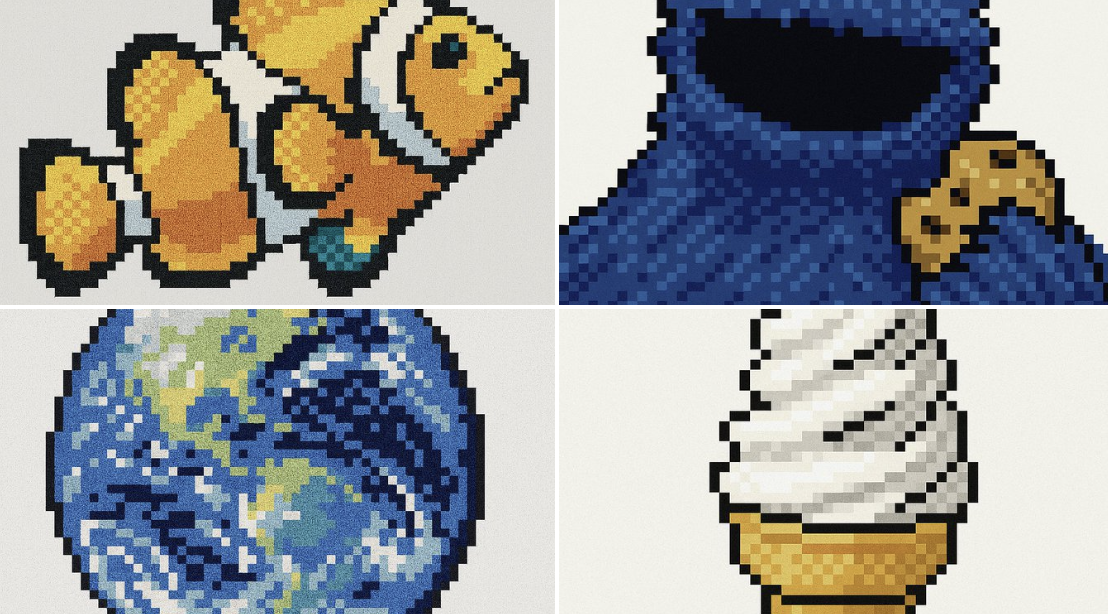
Retro Pixel UI Icons AI Image Prompt
{ "style": "Retro Pixel UI Icons", "resolution": "low (32x32 or 48x48)", "color_palette": [ "#F2F2F2", "#C0C0C0", "#000000", "#FFFFFF", "#0000FF", "#00FF00", "#FFFF99", "#008080" ], "outline": { "enabled": true, "color": "#000000", "thickness": "1px" }, "shading": { "method": "dithering", "colors_used": ["base color", "highlight", "shadow"], "pattern": "checkerboard or diagonal lines" }, "lighting": { "type": "flat", "source": "top-left", "highlight_color": "#FFFFFF", "shadow_color": "#808080" }, "background": { "color": "#F2F2F2", "type": "plain", "transparency": false }, "object_properties": { "style": "pixel art", "perspective": "isometric or front-facing", "animation": { "enabled": false, "frame_style": "static pixel art" } } }
Content: Parameterized config with style, resolution, palette, outline, dithering shading, flat lighting, plain background, isometric/front perspective. Requires adding icon subject.
Pros: Detailed color and render parameters for precise retro pixel style.
Cons: No subject description; fixed parameters may limit creativity.
Reference image: No obvious reference-image dependency
Curated from publicly available creative examples. Prompts and commentary are edited and organized by this site. Please contact us with any rights concerns. Copyright & Privacy