SaaS Update: Customizable Input Types AI Image Prompt
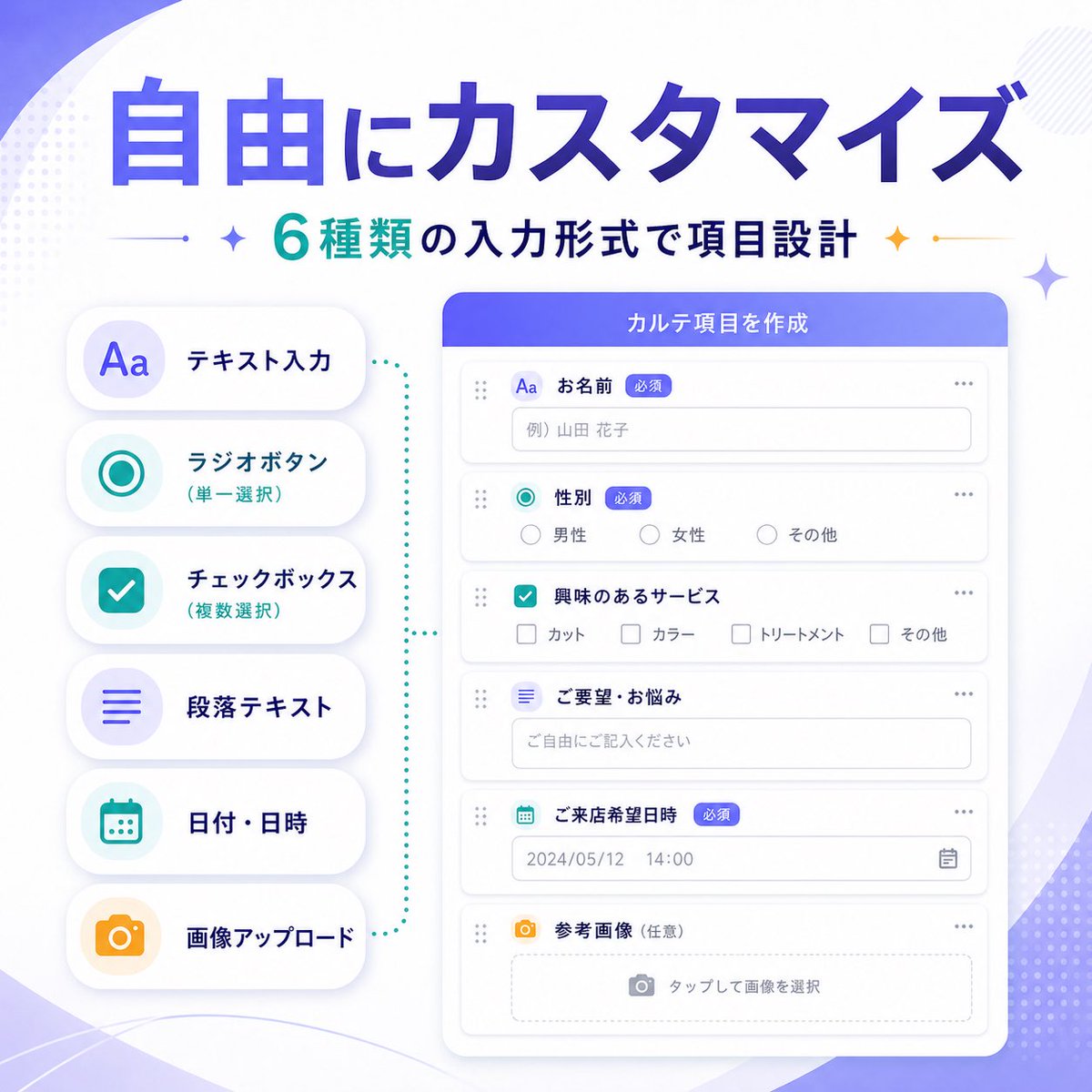
SaaS feature update banner infographic. Style: clean modern Japanese tech marketing visual, soft gradient abstract background, premium UI showcase, minimal flat illustration, rounded cards, subtle shadows, crisp typography. Language: Japanese. Canvas: aspect ratio 1:1, background white base with soft purple gradient waves, faint dotted halftone accents, light geometric sparkles in the corners. Headline: main "自由にカスタマイズ", sub "6種類の入力形式で項目設計". Main style: very large bold Japanese sans-serif, deep blue to violet gradient fill. Sub style: medium bold Japanese sans-serif, teal and dark navy text with small decorative sparkle icons and thin divider lines on both sides. Layout: two-column product feature banner composition. Left section [input type list]: 6 labels (テキスト入力, ラジオボタン(単一選択), チェックボックス(複数選択), 段落テキスト, 日付・日時, 画像アップロード), container vertical stack of 6 rounded white pill cards with soft shadow, icon style large simple colored icons inside pale circular badges, colors purple, teal, teal, purple, teal, orange. Right section [form builder UI]: 6 labels (お名前, 性別, 興味のあるサービス, ご要望・お悩み, ご来店希望日時, 参考画像(任意)), container large rounded white application window with purple-blue header bar, header text "カルテ項目を作成", field types single-line text input, radio buttons, checkbox group, multiline text area, date and time picker, image upload dropzone. Connector: teal dotted bracket-like guide visually linking left feature list to form builder panel. UI details: 3 badges all "必須", sample values: name placeholder "例) 山田 花子", radio options [男性, 女性, その他], checkbox options [カット, カラー, トリートメント, その他], textarea placeholder "ご自由にご記入ください", date value "2024/05/12", time value "14:00", upload hint "タップして画像を選択", window controls minimal dots and drag handles, clean form rows with thin light gray borders. Color palette: primary violet to royal blue gradient, secondary teal, accent orange, surface white, text navy and gray. Quality: high-resolution polished startup marketing graphic, balanced spacing, elegant Japanese SaaS promotional banner for announcing customizable form input types.
Content: Structure formula: SaaS banner infographic, 1:1 canvas; two-column layout (left: 6 feature label cards, right: form builder UI); style: Japanese tech marketing, gradient background, minimal flat illustration; composition: balanced; lighting: soft shadows; colors: purple-blue gradient primary, teal secondary, orange accent; materials: rounded cards, dotted halftone; camera: flat; ratio: 1:1.
Pros: Very detailed with specific UI elements and sample text, ensuring consistent results; dynamic arguments allow customizable headlines.
Cons: Over-specification may limit AI flexibility; some example values (e.g., name placeholder) are unnecessary.
Reference image: No obvious reference-image dependency
Curated from publicly available creative examples. Prompts and commentary are edited and organized by this site. Please contact us with any rights concerns. Copyright & Privacy