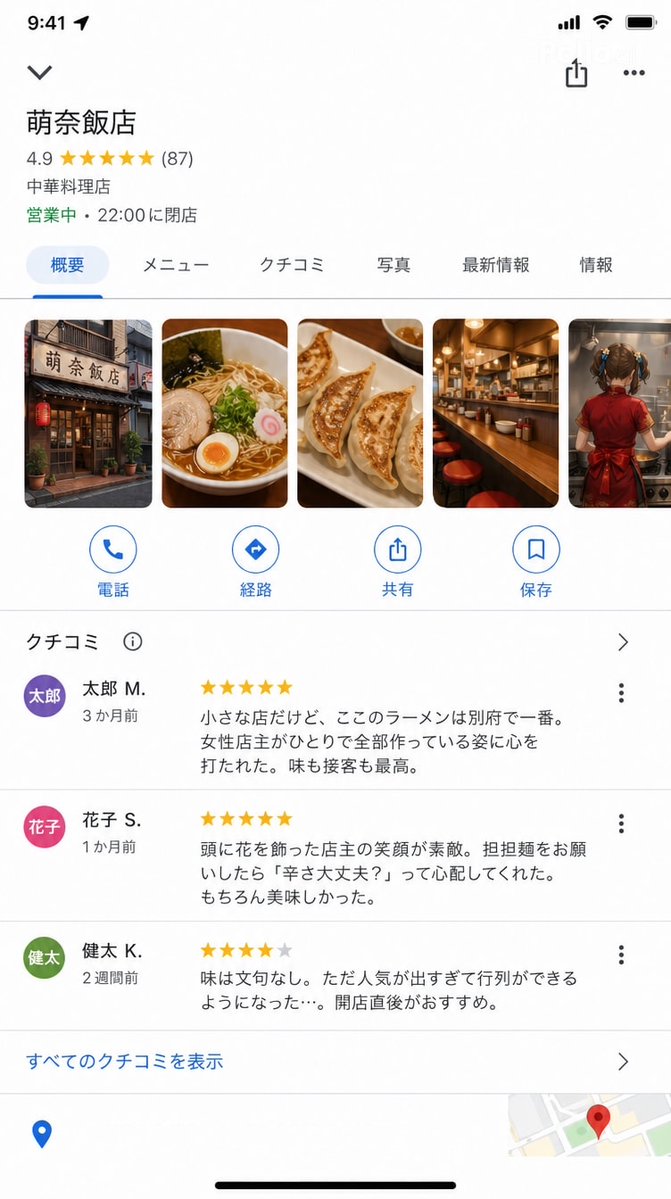
Google Maps iOS store detail screenshot AI Image Prompt
A screenshot of the Google Maps iOS app store detail screen (9:16). With accurate Google Maps UI: - Store Name: "Mona Hanten" - Rating: ★★★★★ 4.9 (87 reviews) - Category: "Chinese Restaurant" - Status: "Open · Closes at 22:00" Photo section (horizontal scroll): Store exterior / Photo of ramen / Gyoza / Counter / The back of a young girl cooking Review section (a few are readable): ★★★★★ "It's a small shop, but the ramen here is the best in Beppu. I was moved by the female owner making everything by herself. Both taste and service are the best." — Taro M. (3 months ago) ★★★★★ "The owner's smile with flowers in her hair is wonderful. When I ordered dandan noodles, she asked 'Are you okay with the spice?' She was so considerate. Of course, it was delicious." — Hanako S. (1 month ago) ★★★★☆ "The taste is beyond reproach. However, it's become so popular that there's always a line... I recommend going right after opening." — Kenta K. (2 weeks ago) Google Maps UI elements at the bottom (Directions, Call, Save buttons). UI precision that could be mistaken for a real Google Maps screenshot.
Content: Structure: 9:16 screenshot + Google Maps UI layout (store info, rating, category, status, horizontal photo scroll, review list, bottom buttons) with dynamic parameters.
Pros: Highly structured and parameterized for easy reuse; rich UI details for realistic screenshots.
Cons: Very specific, limiting creativity; requires precise UI rendering, demanding on model capabilities.
Reference image: No obvious reference-image dependency
Curated from publicly available creative examples. Prompts and commentary are edited and organized by this site. Please contact us with any rights concerns. Copyright & Privacy