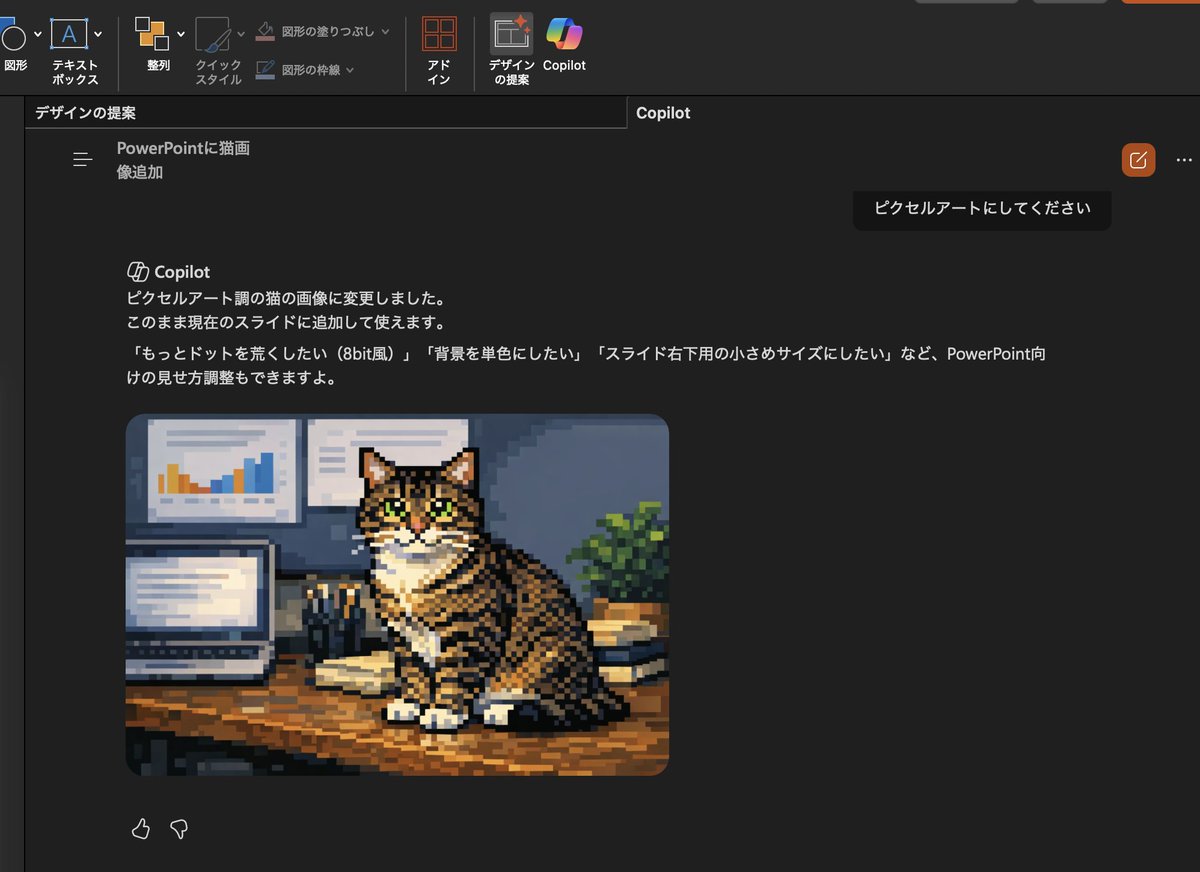
Convert cat photo to pixel art AI Image Prompt
Using the provided reference image, transform only the inserted cat photo into retro pixel art while keeping the overall PowerPoint dark-mode Copilot screenshot layout, interface, and composition unchanged. Preserve the same tabby cat, pose, desk setting, laptop, wall charts, books, and plant, but redraw that image as chunky low-resolution game-style pixel art with visible square pixels, simplified shading, and an 8-bit feel. Also update the visible Japanese Copilot request and response text so the request says 「ピクセルアートにしてください」 and the response explains that the cat image was changed to pixel-art style, with follow-up suggestions mentioning 3 options: 「もっとドットを荒くしたい(8bit風)」, 「背景を単色にしたい」, and 「スライド右下用の小さめサイズにしたい」.
Content: Keep overall PowerPoint dark-mode screenshot layout, interface and composition unchanged, only convert inserted cat photo to pixel art and update Japanese text. Structure: subject (cat), transformation (pixel art), keep (PPT layout), update (Japanese text).
Pros: Clear dependency on reference image to maintain layout consistency; detailed transformation specs (pixel size, 8-bit feel, etc.).
Cons: High dependency on reference image, requires precise matching; updating Japanese text may add complexity.
Reference image: Explicitly relies on reference image
Curated from publicly available creative examples. Prompts and commentary are edited and organized by this site. Please contact us with any rights concerns. Copyright & Privacy