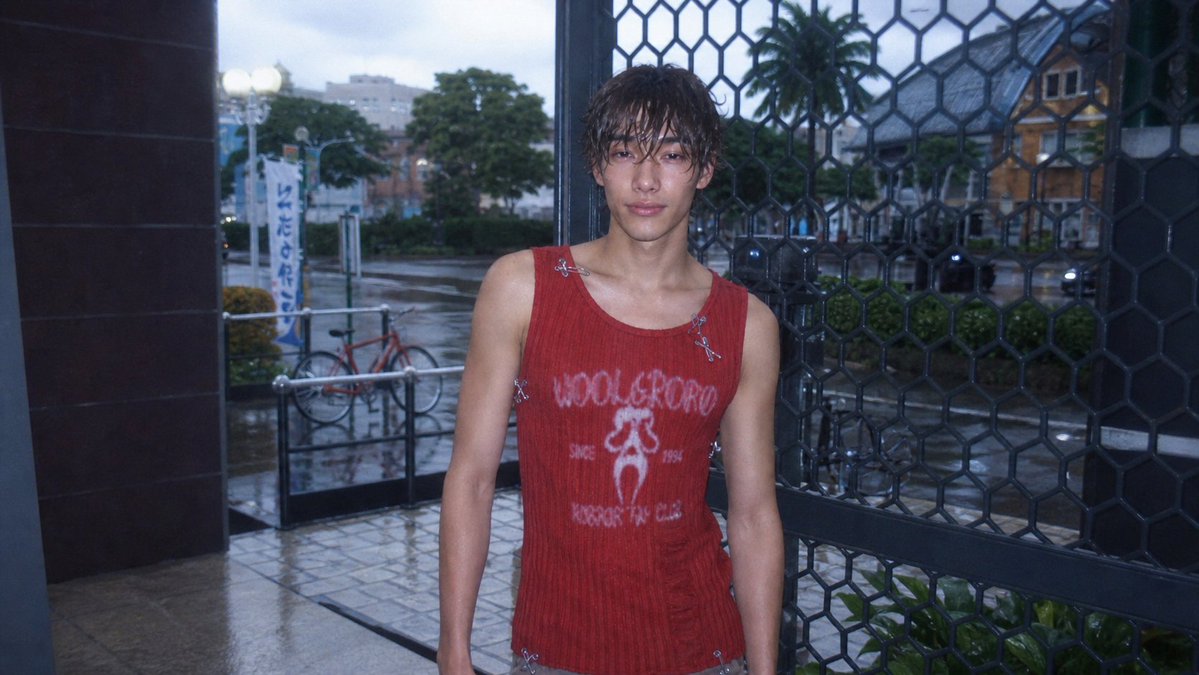
Sims 4 to CCD digital camera photo AI Image Prompt
Using REFERENCE_0 as the base image, transform the Sims 4 screenshot into a realistic early-2000s CCD compact digital camera photo. Keep the same character, outfit, pose, framing, storefront entrance, metal grid, bicycle, street, and overall composition, but make it look like a real candid photo rather than a game render. Add a cool blue dusk tone, harsh built-in flash on the subject, wet rainy pavement with subtle reflections, softened background depth, slight underexposure, visible digital noise, mild chromatic aberration, lens softness, vignette, and low-resolution CCD texture. Preserve the face anonymization as a soft square blur. Maintain a natural 16:9 snapshot crop with imperfect casual framing.
Content: Based on a reference image, transform a Sims 4 screenshot into a CCD digital camera style. Structure: subject (character+outfit+pose), scene (storefront, street, bicycle), style (early-2000s CCD), lighting (cool blue dusk + built-in flash), color (cool blue tones), texture (wet pavement, noise, chromatic aberration), lens (softness, vignette), composition (16:9 snapshot crop, casual framing).
Pros: 1. Detailed specification of multiple CCD camera features (noise, CA, vignette) ensures high style fidelity. 2. Face anonymization blur preserves privacy needs.
Cons: 1. Heavy reliance on reference image (REFERENCE_0) limits creative freedom. 2. Low-resolution CCD texture may sacrifice clarity, restricting use cases.
Reference image: Obvious reference-image dependency (REFERENCE_0)
Curated from publicly available creative examples. Prompts and commentary are edited and organized by this site. Please contact us with any rights concerns. Copyright & Privacy