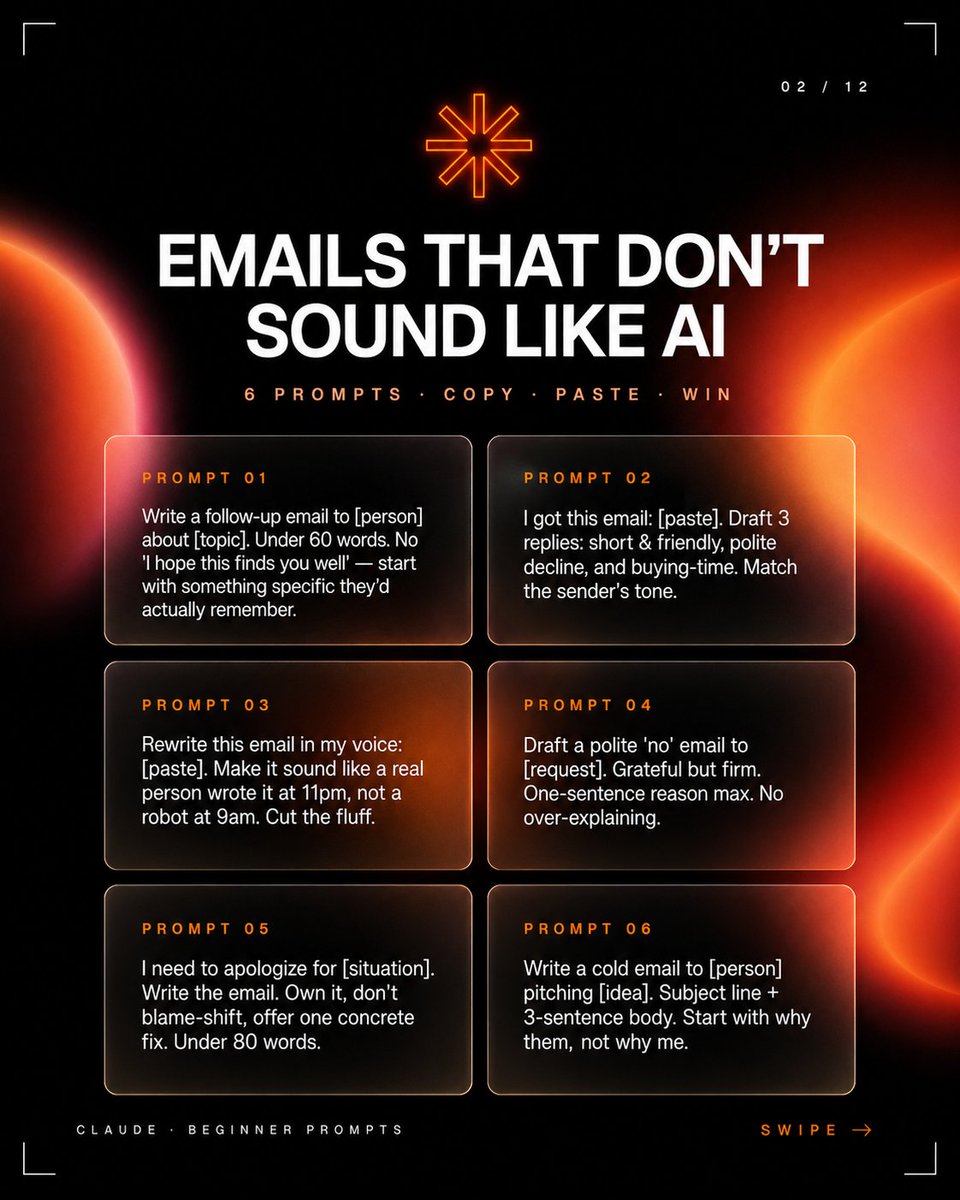
Email Prompts Thumbnail Dark Tech AI Image Prompt
Social media carousel slide thumbnail, square 1:1. Style: premium dark tech editorial, high-contrast black background, glowing orange-red abstract planet/eclipse gradients on left and right edges, soft lens bloom, subtle grain, glassmorphism cards with thin rounded borders, futuristic minimal HUD corner crop marks. Layout: slide indicator at top right with text '02 / 12'; top icon at top center: small glowing orange eight-point asterisk/star symbol; headline at upper center with text 'EMAILS THAT DON’T SOUND LIKE AI' in large bold uppercase white sans-serif centered, tight line spacing; subheadline below headline with text '6 PROMPTS · COPY · PASTE · WIN' in small uppercase orange letter-spaced sans-serif; 6 prompt cards arranged in two columns by three rows, equal rounded translucent dark cards with warm orange glow reflections and thin pale borders; cards: [1] label 'PROMPT 01', row 1 left, body 'Write a follow-up email to [person] about [topic]. Under 60 words. No 'I hope this finds you well' — start with something specific they’d actually remember.'; [2] label 'PROMPT 02', row 1 right, body 'I got this email: [paste]. Draft 3 replies: short & friendly, polite decline, and buying-time. Match the sender's tone.'; [3] label 'PROMPT 03', row 2 left, body 'Rewrite this email in my voice: [paste]. Make it sound like a real person wrote it at 11pm, not a robot at 9am. Cut the fluff.'; [4] label 'PROMPT 04', row 2 right, body 'Draft a polite 'no' email to [request]. Grateful but firm. One-sentence reason max. No over-explaining.'; [5] label 'PROMPT 05', row 3 left, body 'I need to apologize for [situation]. Write the email. Own it, don’t blame-shift, offer one concrete fix. Under 80 words.'; [6] label 'PROMPT 06', row 3 right, body 'Write a cold email to [person] pitching [idea]. Subject line + 3-sentence body. Start with why them, not why me.'; footer: left text 'CLAUDE · BEGINNER PROMPTS', right text 'SWIPE →', position bottom corners, typography tiny uppercase letter-spaced, left in pale gray, right in orange. Color palette: background near black, primary text white, accent neon orange and red, card fill transparent smoky black with amber highlights. Composition notes: Keep all text crisp and readable, with strong hierarchy: huge headline, smaller subtitle, six clearly separated prompt cards. Use cinematic orange light orbs bleeding in from the sides, but keep the center dark enough for legibility.
Content: Structure: Square 1:1 social media thumbnail. Style: dark tech editorial, high-contrast black bg, orange-red glow on sides, glassmorphism cards. Layout: top slide indicator & icon, headline & subheadline center, 6 cards in 2x3 grid, footer text. Includes editable placeholders. Palette: black, white, orange, red.
Pros: Clear visual hierarchy; editable placeholders for reuse
Cons: Too much detail may cause AI inconsistency; strong orange-red glow may be overwhelming
Reference image: No obvious reference-image dependency
Curated from publicly available creative examples. Prompts and commentary are edited and organized by this site. Please contact us with any rights concerns. Copyright & Privacy