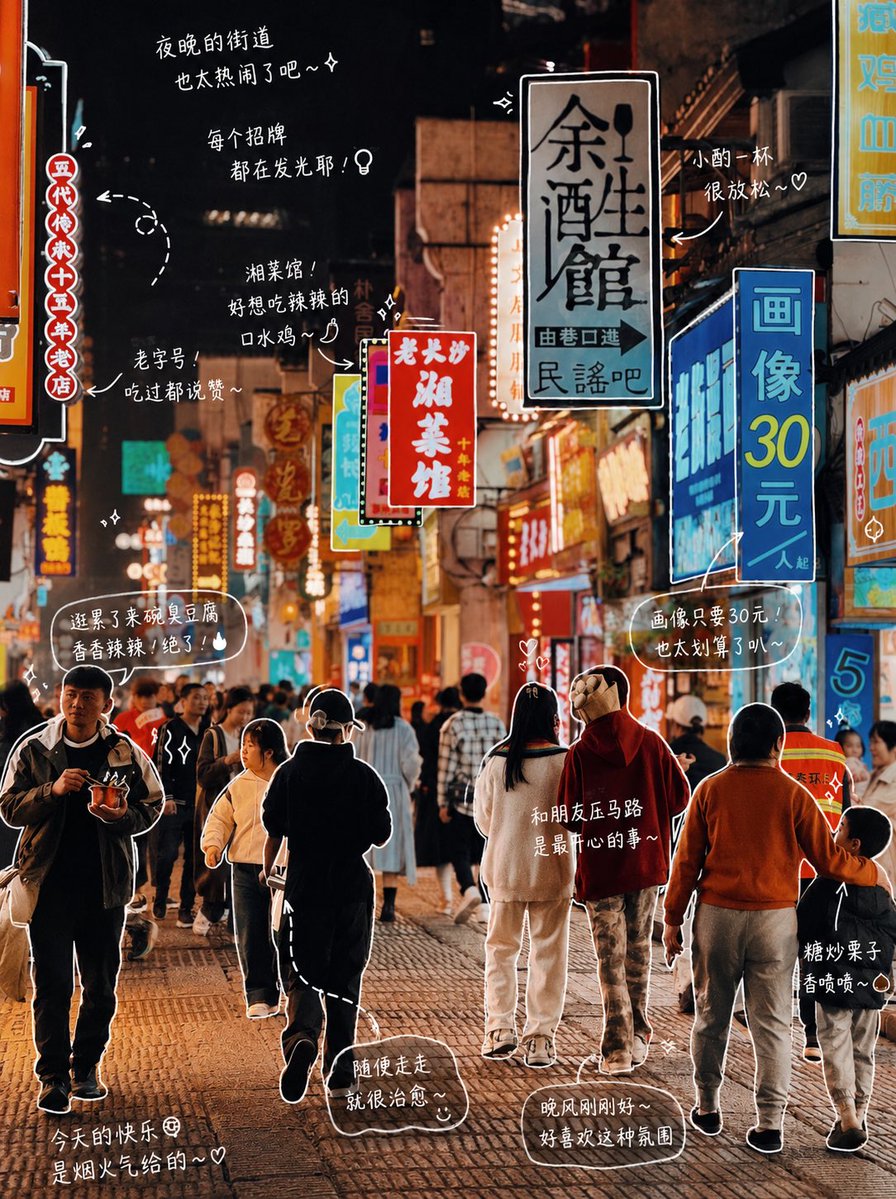
Hand-drawn Photo Annotations AI Image Prompt
Modify the photo: Please observe the elements in the photo and add meaningful hand-drawn style annotations for each object. Fill in the objects in the photo (e.g., pizza, soda). [Drawing Rules]: • Use thin hand-drawn lines like white brush strokes • One-stroke style, casual, slightly uneven • Add outlines around objects • Use arrows or dotted lines for visual guidance. [Text Rules]: • Handwritten font (Japanese cute style) • Short sentences, like self-muttering • Diary-like tone with a hint of emotion. [Annotation Rules]: • Drinks -> Taste, temperature, mood (e.g., refreshing, slightly sweet, just right) • Food -> Texture, deliciousness (e.g., soft, super delicious) • Space -> Atmosphere (e.g., very relaxing, love this feeling) • Overall -> A summary sentence (e.g., Today is a bit happy~). [Decoration]: • Moderately add elements like steam, sparkles, hearts, stars, and small emojis. Do not over-decorate, preserve white space.
Content: Structure: Based on the photo, add hand-drawn annotations to objects. Includes drawing rules (thin lines, one-stroke, outlines, guides), text rules (handwritten font, short sentences, diary tone), annotation rules (taste, temperature, mood per object type), decoration rules (moderate steam, sparkles, etc.).
Pros: Detailed annotation rules add emotion and personalization; consistent hand-drawn style enhances fun.
Cons: Heavily relies on input photo and requires manual object list; decoration rules are abstract and may lead to over-decoration.
Reference image: Obviously relies on reference image (photo), requires user-provided original.
Curated from publicly available creative examples. Prompts and commentary are edited and organized by this site. Please contact us with any rights concerns. Copyright & Privacy