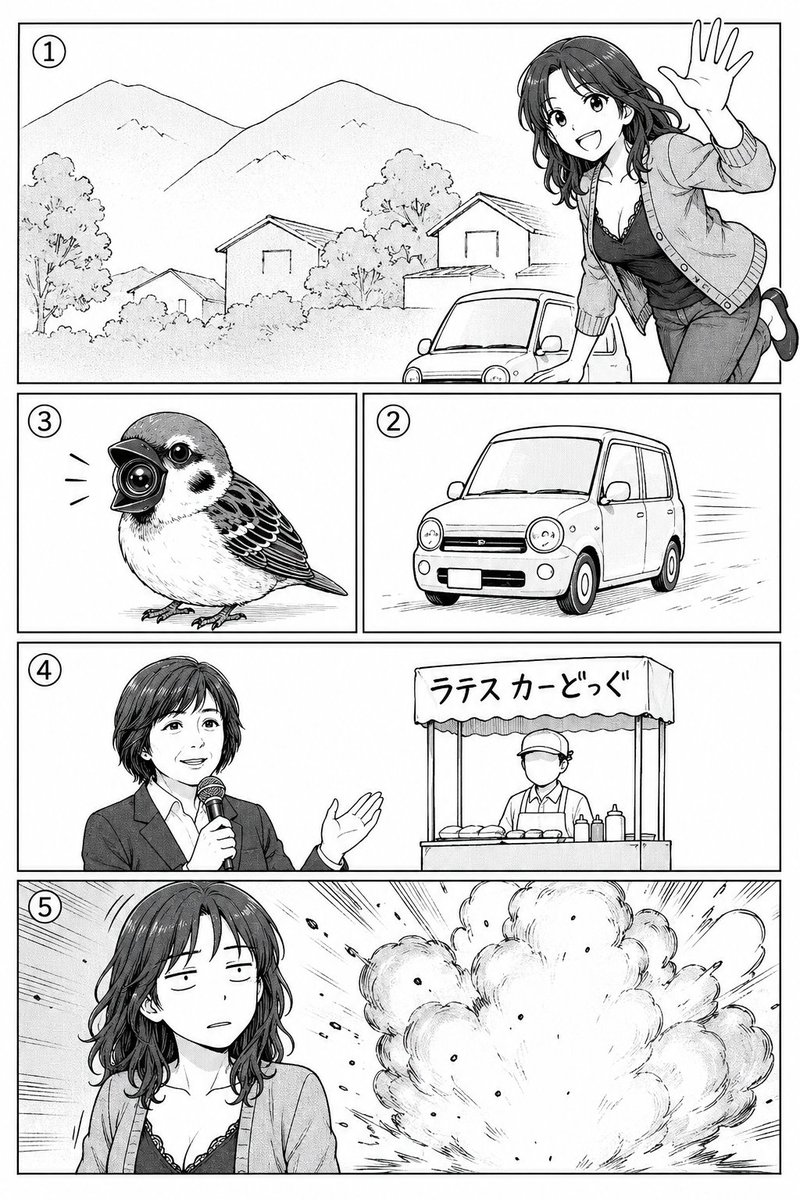
Manga storyboard to black-and-white page with fine line art and screentone, 5 panels AI Image Prompt
Using REFERENCE_0 as a rough manga storyboard, turn it into a clean black-and-white manga page with polished line art, screentone shading, and crisp rectangular panel borders. Keep the same 5-panel story structure and visible circled panel numbers: 1 landscape scene with mountains, houses, a small car, and a cheerful woman leaning in from the right waving; 2 a compact car driving; 3 a small bird with a camera-like beak; 4 an announcer holding a microphone beside a street-food stall; 5 the woman in front of a large explosion. Preserve the rough layout order and the intended character/object positions, but render everything as finished manga art. Keep the faces in panels 4 and 5 intentionally obscured by a soft gray rectangular blur. Add Japanese text on the stall awning reading ラテスカーどっぐ. Make the page monochrome, high-detail, print-ready, with dynamic speed lines and explosion effects where indicated.
Content: Structure: Convert rough storyboard reference into finished manga page, including subject (5-panel scenes), style (Japanese black-white manga, polished line art, screentone), composition (preserved layout and panel numbers), lighting (monochrome high contrast), color (black-white), material (print-ready), camera (different angles per panel).
Pros: Clear storyboard structure aids narrative flow; high detail requirements ensure quality output.
Cons: Heavy reliance on reference may limit creativity; lacks specification on line weight or shading style.
Reference image: Obvious dependency on reference image
Curated from publicly available creative examples. Prompts and commentary are edited and organized by this site. Please contact us with any rights concerns. Copyright & Privacy