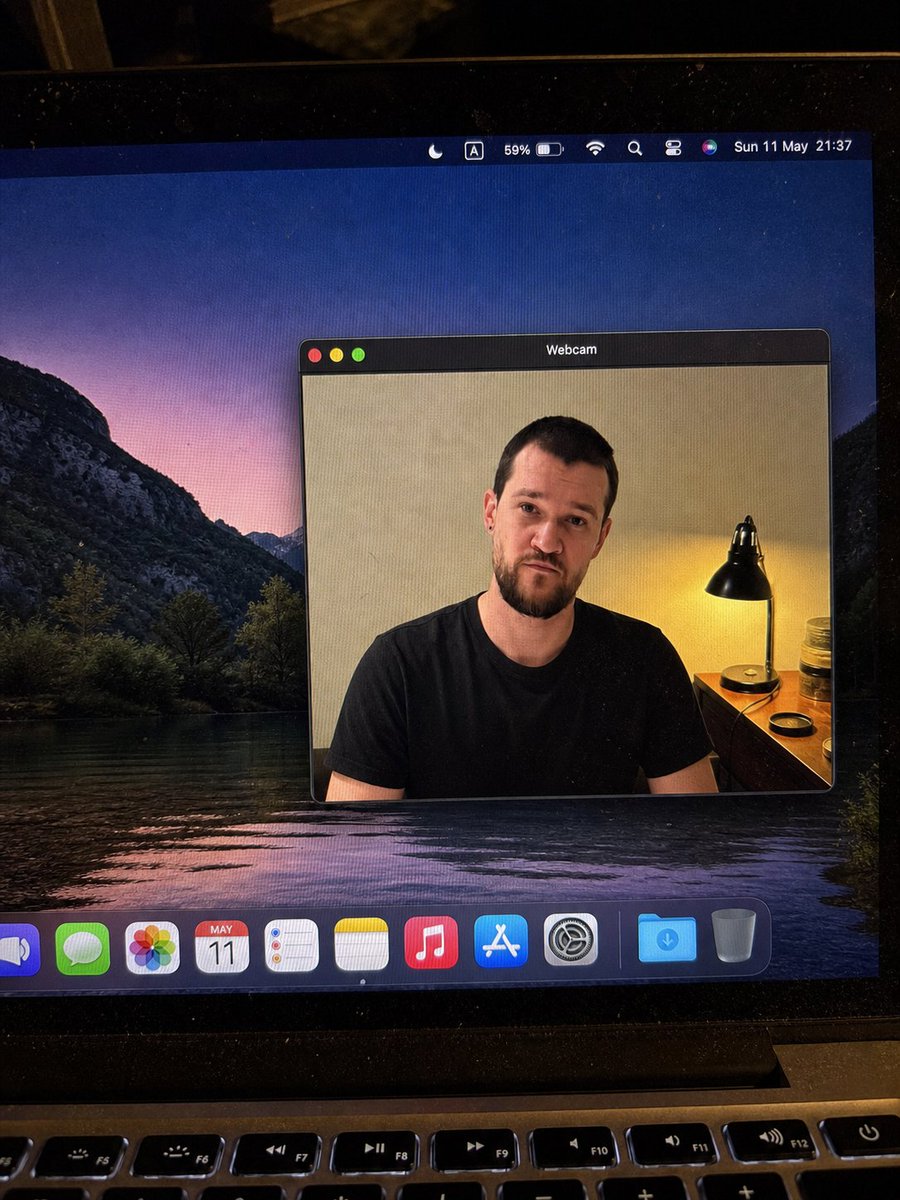
Smartphone photo of laptop screen with webcam face blurred AI Image Prompt
Realistic handheld smartphone photo of a laptop screen. Scene: A slightly tilted close-up photo of a MacBook display in a dim room, with visible screen pixels, dust specks, glare, black bezel edges, and the top row of physical keyboard keys at the bottom. The desktop wallpaper shows a dark mountain lake landscape at dusk with purple-pink sky reflected in water. Main subject: A macOS-style floating window titled Webcam centered on the desktop, showing a webcam feed of a seated adult man in a plain black t-shirt. The person's face is intentionally covered by a smooth rectangular blur/mosaic block in warm skin-tone colors, hiding all facial details while leaving hair, ears, neck, shoulders, and shirt visible. Webcam background: Indoor beige wall, warm bedside lamp on the right with a black metal shade, small wooden table or dresser, jars and a round lid near the lamp. The lighting is warm and yellow from the lamp, contrasting with the cool desktop wallpaper. Pose: front-facing seated posture, shoulders visible, casual neutral stance. Layout: Screen elements include top menu bar with 8 items (crescent moon focus icon, boxed letter A input icon, 59% battery indicator, Wi-Fi icon, magnifying glass search icon, control center style icon, Siri multicolor orb, date and time text: Sun 11 May 21:37); webcam window positioned center-right of the display with dark macOS title bar, rounded rectangle, thin gray border, realistic shadow, and three traffic light buttons (red, yellow, green); dock at bottom with 11 items (partially cropped blue speaker or volume app icon, green Messages icon, multicolor Photos icon, Calendar icon showing MAY 11, Reminders icon, Notes icon, Music icon, App Store icon, System Settings gear icon, blue Downloads folder, Trash can). Camera framing: portrait-oriented phone photo of the laptop, not a clean screenshot; the screen is photographed at a slight angle with the laptop hinge and keyboard visible. Style: highly realistic, candid, imperfect phone-camera capture, natural noise, subtle moire pattern on the monitor, no illustration or CGI look. Quality constraints: Keep all UI text legible where visible, preserve the blurred face rectangle, avoid extra windows or extra people, maintain realistic reflections and perspective.
Content: Phone-captured close-up of a MacBook screen with desktop wallpaper, a floating webcam window (face blurred), menu bar, and dock. Dim room with warm lamp, realistic style with noise and moire.
Pros: Rich details, precise UI placement ensures consistency.
Cons: Lengthy, may exceed token limit; too many elements risk deviation.
Reference image: No obvious reference-image dependency
Curated from publicly available creative examples. Prompts and commentary are edited and organized by this site. Please contact us with any rights concerns. Copyright & Privacy