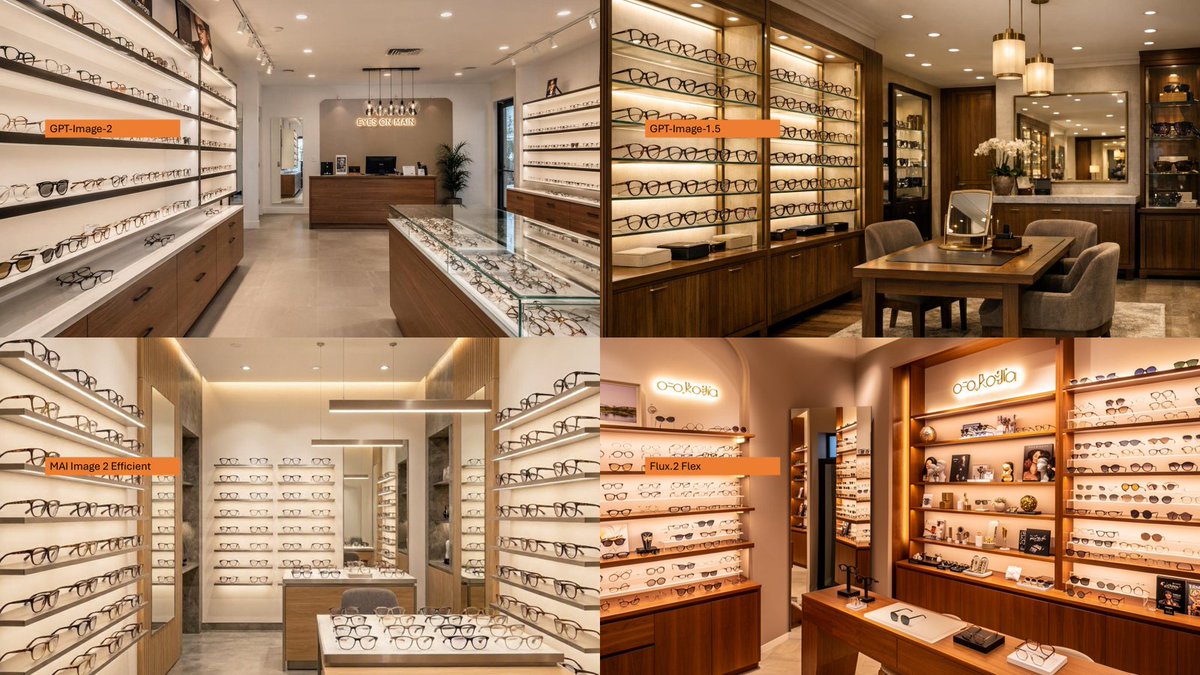
Eyeglasses store interior 2x2 comparison collage AI Image Prompt
Using the provided reference image as a loose layout inspiration for a model-comparison graphic, replace the Japanese DX infographic with a clean 2×2 comparison collage of photorealistic eyeglasses store interiors. Create exactly 4 panels: top-left labeled GPT-Image-2, top-right labeled GPT-Image-1.5, bottom-left labeled MAI Image 2 Efficient, and bottom-right labeled Flux.2 Flex. Each panel shows a different upscale optical boutique interior filled with wall displays of eyeglass frames, glass counters, warm lighting, wood cabinetry, mirrors, and showroom depth. Use small horizontal orange label bars with black text near the left side of each panel. Make the final image a wide 16:9 collage with thin panel boundaries, no extra explanatory text, no Japanese report content, and no watermark.
Content: 2×2 collage structure; each panel shows a different eyewear store interior (wall displays, glass counters, warm lighting, wood cabinetry, mirrors) with small orange label bars; 16:9 aspect ratio, thin panel borders, no extra text or watermark.
Pros: Panel content and labels are specific for model comparison; clear overall layout (2×2 grid + 16:9).
Cons: Relies on reference image for layout inspiration; label placement (left side) may conflict with panel elements.
Reference image: Explicit dependency on reference image
Curated from publicly available creative examples. Prompts and commentary are edited and organized by this site. Please contact us with any rights concerns. Copyright & Privacy