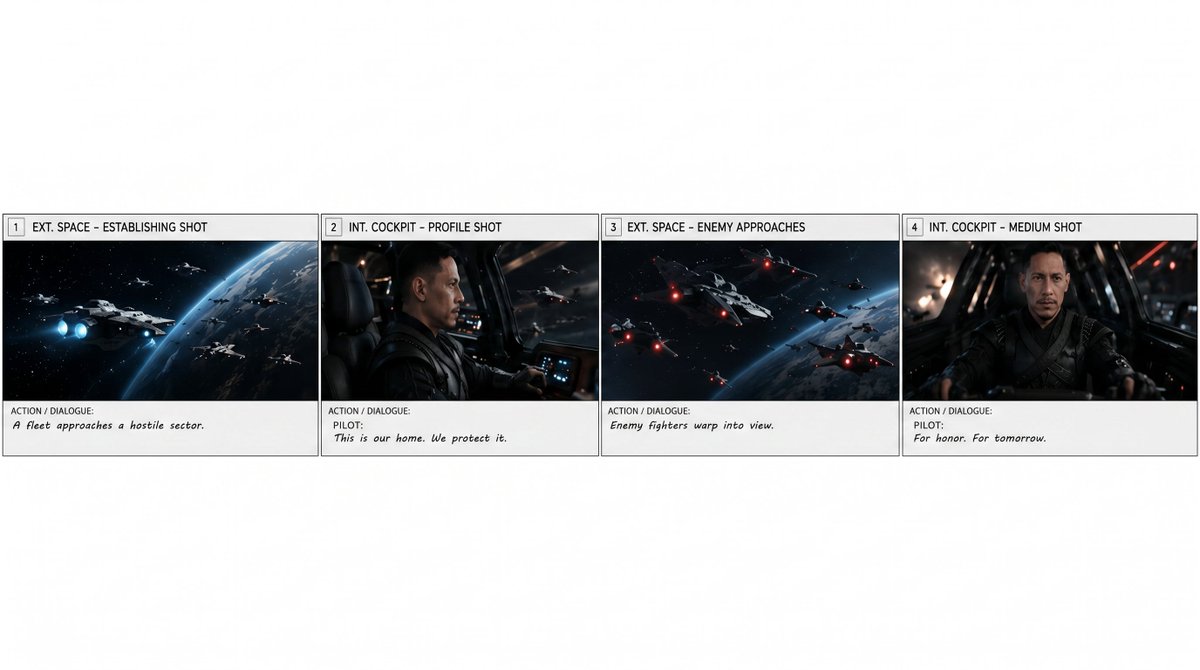
Extract first row 4 panels into horizontal strip AI Image Prompt
Using REFERENCE_0 as the source storyboard, extract only the first row of the storyboard and regenerate it as a standalone horizontal storyboard strip. Keep exactly 4 panels, preserving their original artwork, panel borders, numbering, shot labels, and action/dialogue text as closely as possible: 1) "EXT. SPACE – ESTABLISHING SHOT" with "A fleet approaches a hostile sector." 2) "INT. COCKPIT – PROFILE SHOT" with "PILOT: This is our home. We protect it." 3) "EXT. SPACE – ENEMY APPROACHES" with "Enemy fighters warp into view." 4) "INT. COCKPIT – MEDIUM SHOT" with "PILOT: For honor. For tomorrow." Remove the overall storyboard header, project/director/date information, and all panels after number 4. Place the four extracted panels in one clean row across the lower-middle of a wide white canvas, with generous blank white space above and around the strip. Do not add new imagery, new titles, watermarks, or extra panels. Optional customization: extract panels 1–4 from the storyboard for a 15-second scene.
Content: Extract first row from reference storyboard, regenerate as 4-panel horizontal strip preserving original artwork, borders, numbering, shot labels, and text; remove extraneous info; place lower-middle on white canvas.
Pros: Precise control over panel count and content preserves original details.
Cons: Depends on reference image quality; lacks style description which may cause monotonous output.
Reference image: Obvious reference-image dependency (REFERENCE_0)
Curated from publicly available creative examples. Prompts and commentary are edited and organized by this site. Please contact us with any rights concerns. Copyright & Privacy