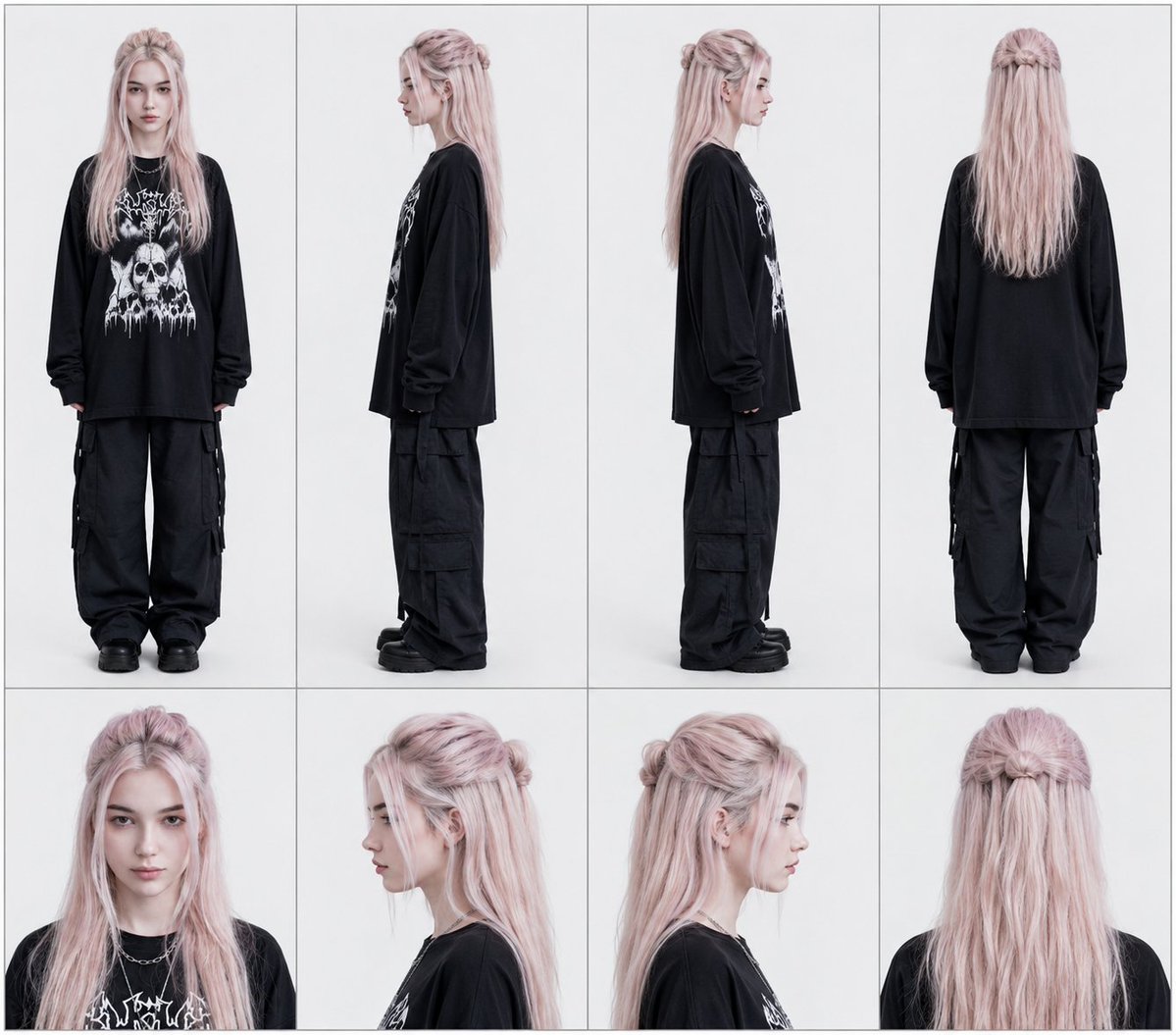
Character Reference Sheet Four Views AI Image Prompt
Create a professional character reference sheet for the uploaded image. Arrange into four vertical columns, each representing a viewing angle. Each column contains a full-body view above and a matching close-up portrait below. Columns (left to right): Column 1: Front view (full body above, front portrait below); Column 2: Left side view (full body facing left) with left portrait below; Column 3: Right side view (full body facing right) with right portrait below; Column 4: Back view with matching portrait below. Maintain even spacing and framing around character portraits. Clear outlines, consistent alignment, and clean panel separation. No text. Thin borders. Flat lighting.
Content: Layout specification: four vertical columns, each with full-body view above and close-up portrait below; viewing angles in order: front, left side, right side, back. Emphasizes even spacing, clear outlines, alignment, panel separation, no text, thin borders, flat lighting.
Pros: Clear structure, detailed instructions, easy to follow.
Cons: Fixed layout may not suit non-human characters; depends on input image quality.
Reference image: Explicitly relies on uploaded image
Curated from publicly available creative examples. Prompts and commentary are edited and organized by this site. Please contact us with any rights concerns. Copyright & Privacy