Dark Mode AI Chat Image Upscaling Tutorial AI Image Prompt
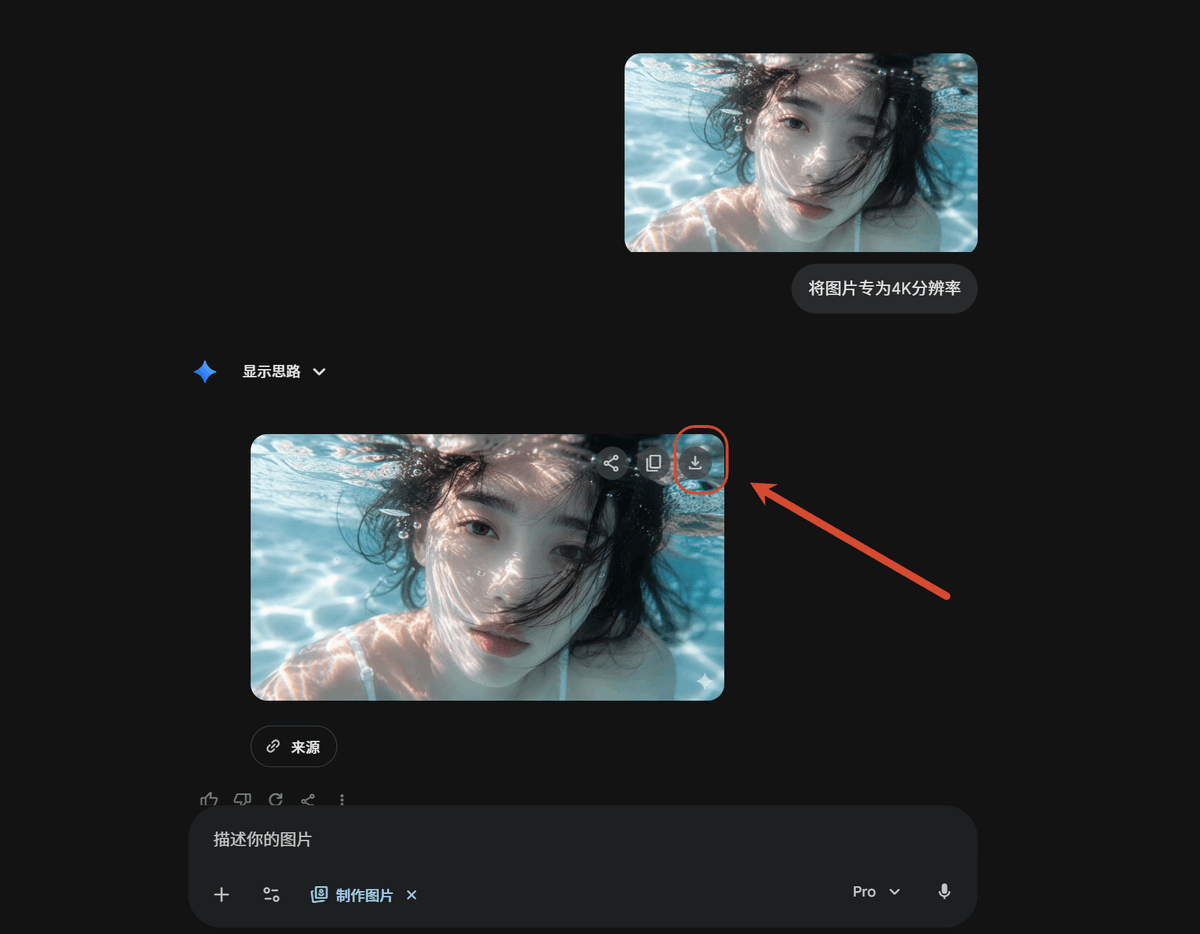
Using the reference screenshot as source, create a clean dark-mode AI chat interface tutorial mockup showing the same underwater photo being upscaled. Remove the Windows Photos app chrome, side information panel, filename details, and resolution callout from the reference; use only the underwater image content as the visual asset. Layout: Place exactly 2 rounded-corner image previews of the underwater photo in the chat: 1 smaller uploaded-image preview near the upper right and 1 larger generated-result preview below it, slightly left of center. Keep the face-obscuring gray blur/block over the person in both previews. Chat elements: Add exactly 1 user message bubble beside the upper preview with the Chinese text "将图片转为4K分辨率". Add exactly 1 assistant label reading "显示思路" with a small blue sparkle icon and a dropdown chevron. Under the larger image preview, add exactly 1 small rounded "来源" source button. Callout: On the upper-right corner of the larger generated image preview, show the download icon and highlight it with exactly 1 red circular outline. Add exactly 1 thick red arrow pointing from the right side toward that circled download icon. Bottom UI: Include a dark rounded message input bar at the bottom with placeholder text "描述你的图片", small attachment/tool icons, a "制作图片" chip, a "Pro" dropdown, and a microphone icon. Style and constraints: Match a modern Gemini/AI-chat dark theme with lots of empty black space, subtle gray UI controls, rounded corners, and a 16:9 screenshot composition. Do not add extra images, extra arrows, extra callouts, or additional explanatory text.
Content: Formula: reference image + dark AI chat interface + underwater photo upscale. Structure: subject (underwater photo), scene (chat interface), style (modern Gemini dark theme), composition (16:9 screenshot), layout (2 rounded previews + chat bubbles + bottom UI), lighting (dark default), color (black & gray), material (rounded controls). Relies on reference image.
Pros: Precise positioning and count of layout elements (previews, bubbles, buttons) for easy reproduction.
Cons: Many steps requiring extraction from reference image; dependent on its specific composition.
Reference image: Obvious dependency on reference image
Curated from publicly available creative examples. Prompts and commentary are edited and organized by this site. Please contact us with any rights concerns. Copyright & Privacy