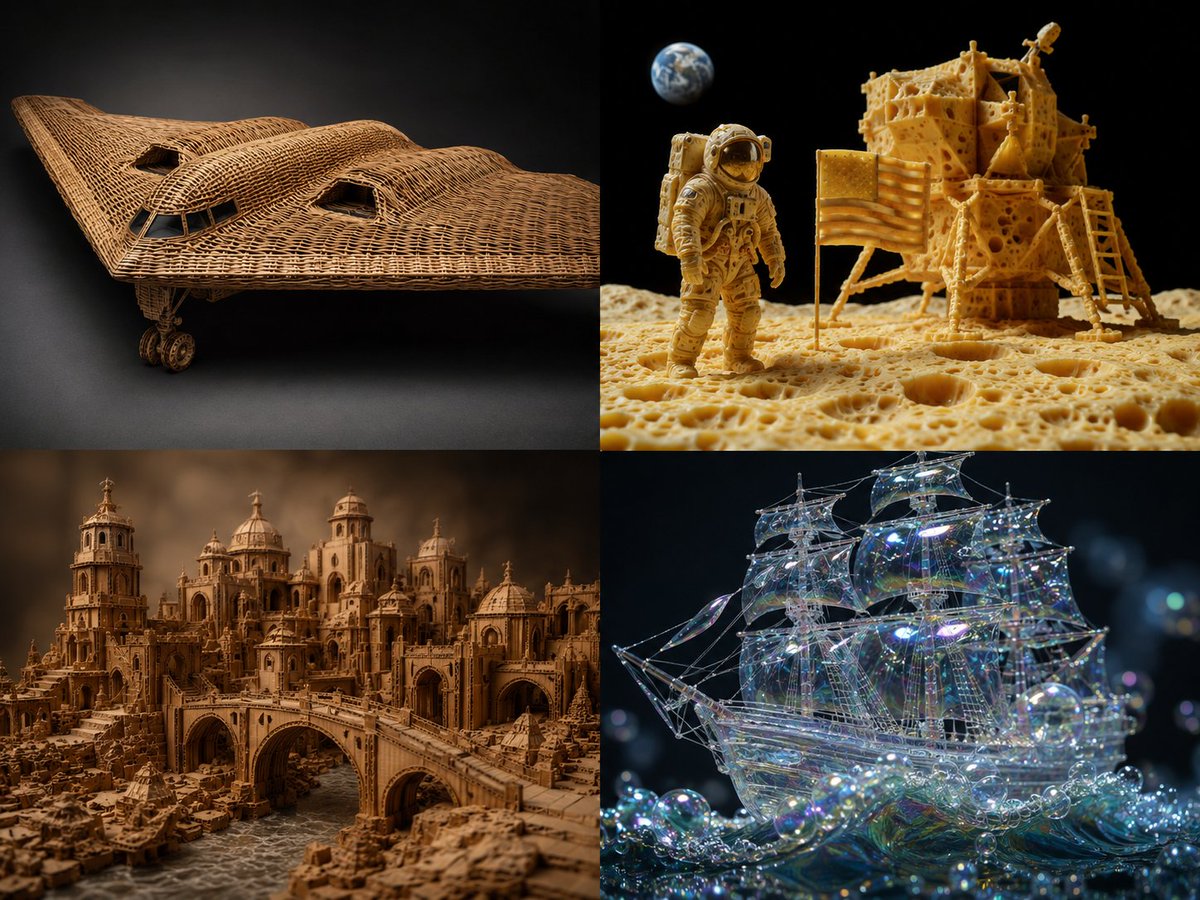
Material Translation with 4 Fun Materials Render AI Image Prompt
2x2 grid, b2 plane, moon landing scene, 2 other complex scenes with 4 fun materials -> translation_solve(source_object → target_material): source = [object] target_mat = [material] mapping_rules: - source.primary_function → target_mat.equivalent_function_in_new_material - source.surface_detail → target_mat.characteristic_texture * 2.0 - source.joinery_method → infer(connection_type from target_mat.physics) - source.weight_distribution → target_mat.density_logic * 1.5 - source.color_scheme → infer(natural_palette from target_mat.typical_hues) render( subject = source reconstructed_in target_mat, realism = "material properties must be physically plausible" * 1.8, detail = "zoomed macro view showing material authenticity" * 1.6, context = "isolated on complementary background" * 1.2 ) + studio_product_photography - (photoshop_texture_overlay / 5) - (impossible_material_behavior / 4) example: "sports car → woven rattan"
Content: Structure: 2x2 grid with default scene and user-chosen complex scenes, plus 4 fun materials. Core is material translation: source function → target material equivalent function, surface detail×2, joinery inference, weight distribution, color palette inference. Render requires physical realism, macro detail, complementary background, excluding overlay and impossible behavior.
Pros: Creative conversion of object to another material with physical plausibility; detailed rules yield diverse results.
Cons: Depends on parameter substitution, not intuitive; grid layout and mapping rules may increase complexity.
Reference image: No obvious reference-image dependency
Curated from publicly available creative examples. Prompts and commentary are edited and organized by this site. Please contact us with any rights concerns. Copyright & Privacy