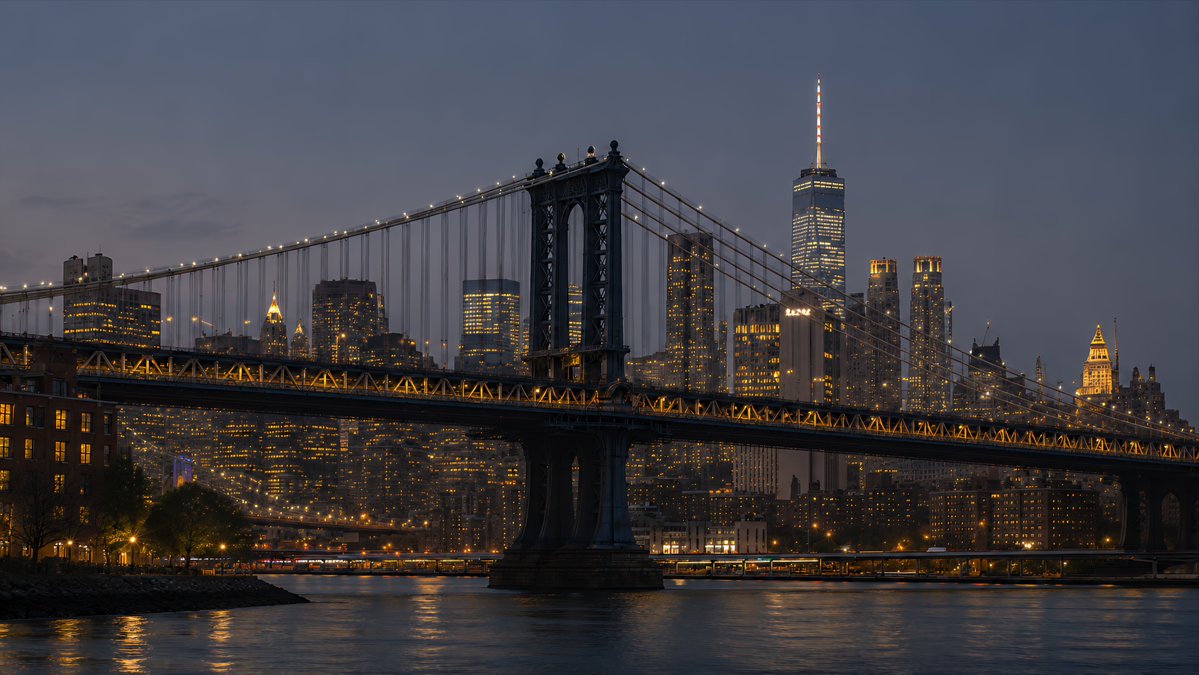
Manhattan Bridge and Lower Manhattan Skyline Waterfront at Blue Hour AI Image Prompt
Using the provided New York skyline reference as the visual and lighting base, create a 4K desktop wallpaper in a wide 16:9 composition. Change the viewpoint to a waterfront scene featuring the Manhattan Bridge spanning across the foreground, with its dark steel towers, suspension cables, and warm string lights clearly visible. Replace the original Empire State Building-centered skyline with a Lower Manhattan skyline in the background, including One World Trade Center rising prominently on the right side. Shift the mood to blue hour after sunset: a deep muted blue-gray sky, glowing office windows, warm amber bridge lights, and soft reflections on the river. Add a calm East River foreground with subtle ripples, shoreline silhouettes, and realistic city haze for depth. Style should be photorealistic, cinematic, crisp, high-detail, polished for wallpaper use, with no people, no text, no logos, and no watermark.
Content: Structure: reference + resolution + 16:9 wide composition → foreground Manhattan Bridge + background Lower Manhattan skyline + time mood + river/haze details → photorealistic style + no distractors.
Pros: ① Clear reference dependency ensures geometry/lighting consistency; ② Rich details (bridge, lights, reflections, haze) suitable for high-quality wallpaper.
Cons: ① Relies heavily on reference; poor reference limits output; ② Replacing skyline and shifting time may require manual tweaking for seamless lighting.
Reference image: Obvious dependency on reference image
Curated from publicly available creative examples. Prompts and commentary are edited and organized by this site. Please contact us with any rights concerns. Copyright & Privacy