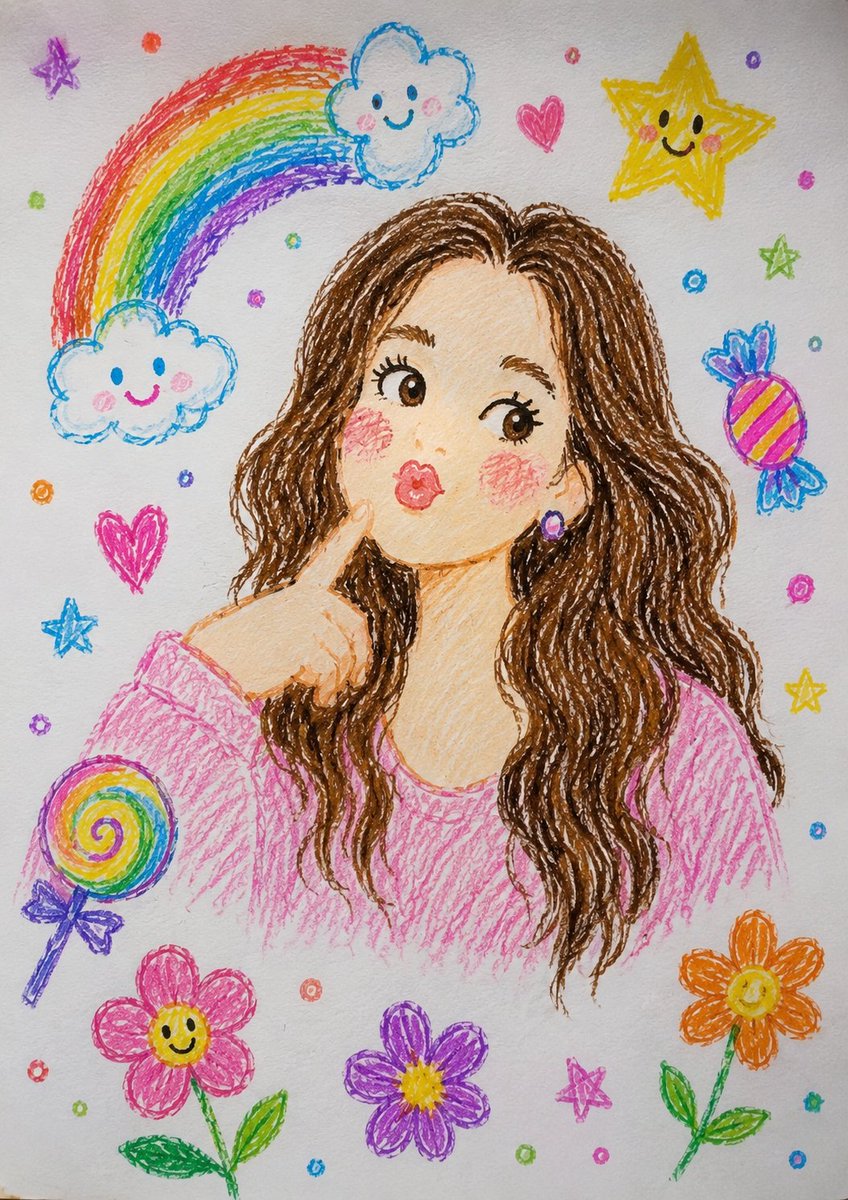
Transform illustration to realistic photo AI Image Prompt
Transform this crayon-style illustration into a highly realistic professional photograph. Keep the same pose, facial expression, hand gesture, and composition. Convert the drawn character into a real young woman with natural skin texture, realistic eyes, detailed hair, and authentic facial features. Replace the doodle background with a real-life outdoor setting featuring soft natural light, realistic depth of field, and a clean environment. Maintain the overall mood and character while making the result look like it was captured with a high-end DSLR camera. Ultra-realistic, photorealistic, natural colors, high detail, 85mm lens, shallow depth of field, realistic lighting.
Content: Style conversion template: transform input style into realistic photo, retain pose/expression/composition, replace subject (e.g., real person) and background (e.g., outdoor), specify photography parameters (85mm lens, shallow DoF, natural light, ultra-realistic).
Pros: 1. Clearly defines elements to keep vs replace, reducing ambiguity; 2. Detailed photography params enhance realism.
Cons: 1. Heavily relies on input image quality; 2. Parameters may limit creativity, conversion feels mechanical.
Reference image: No obvious reference-image dependency
Curated from publicly available creative examples. Prompts and commentary are edited and organized by this site. Please contact us with any rights concerns. Copyright & Privacy