App Promo with Realistic Plant UI AI Image Prompt
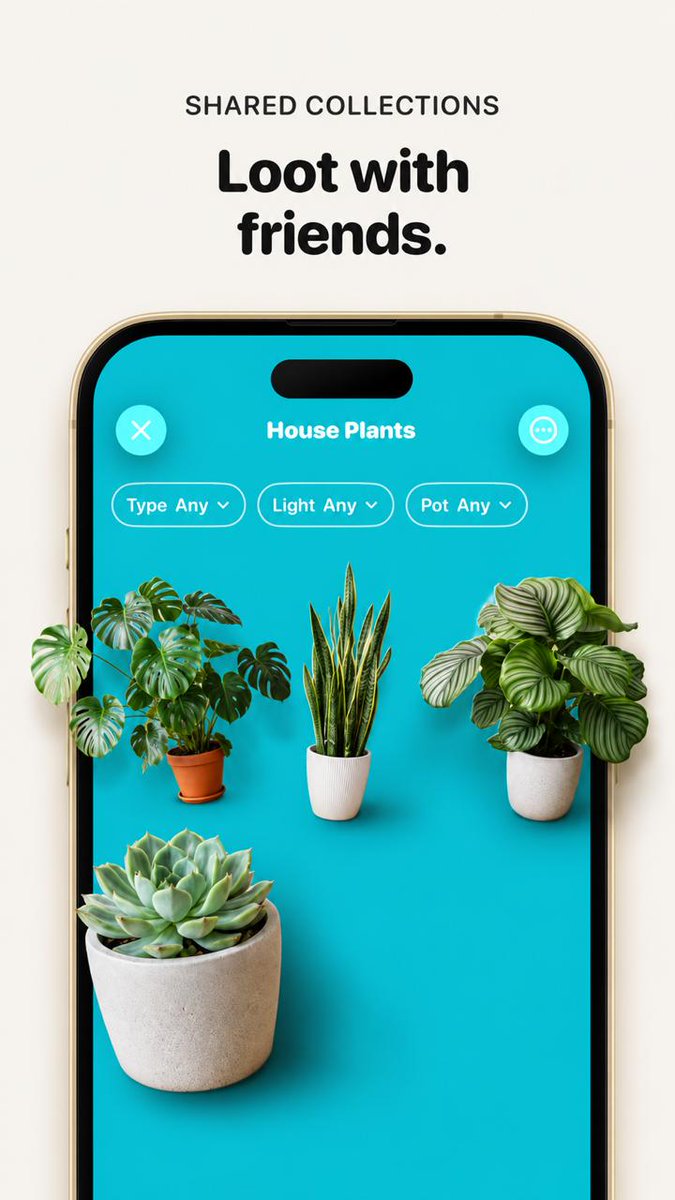
Enlarge and sharpen the phone crop so it fills more of the vertical canvas, keep the headline above it reading Loot with friends. with the small label SHARED COLLECTIONS. Replace the tiny flat plant thumbnails with realistic, larger, photoreal 3D/product-render plants that appear to sit inside the phone screen with soft shadows and depth. Use exactly 4 plants: a monstera in a terracotta pot on the left, a snake plant in a white ribbed pot in the center, a round-leaf striped calathea/peperomia-style plant in a white pot on the right, and a large echeveria succulent in a concrete pot in the lower-left foreground. Keep the UI title House Plants, the close button, menu button, and exactly 3 pill filters labeled "Type Any", "Light Any", and "Pot Any". Make the overall image cleaner, brighter, more premium, with crisp typography, realistic shadows, and a beige/off-white background; avoid adding extra UI elements, extra plants, watermarks, or unrelated text.
Content: Subject: phone screenshot UI with headline, label, buttons, pill filters; Scene: vertical canvas; Style: premium clean, product rendering; Composition: vertical centered, enlarged screenshot; Lighting: soft shadows, realistic; Color: beige/off-white background; Material: 3D rendered plants (terracotta, concrete, white pots); Avoid extra UI or text.
Pros: Specifies exactly 4 plants and UI elements, reducing ambiguity; Clear premium clean style ensures consistency.
Cons: Depends on an original phone screenshot as input; Too many details may limit creative freedom.
Reference image: No obvious reference-image dependency
Curated from publicly available creative examples. Prompts and commentary are edited and organized by this site. Please contact us with any rights concerns. Copyright & Privacy