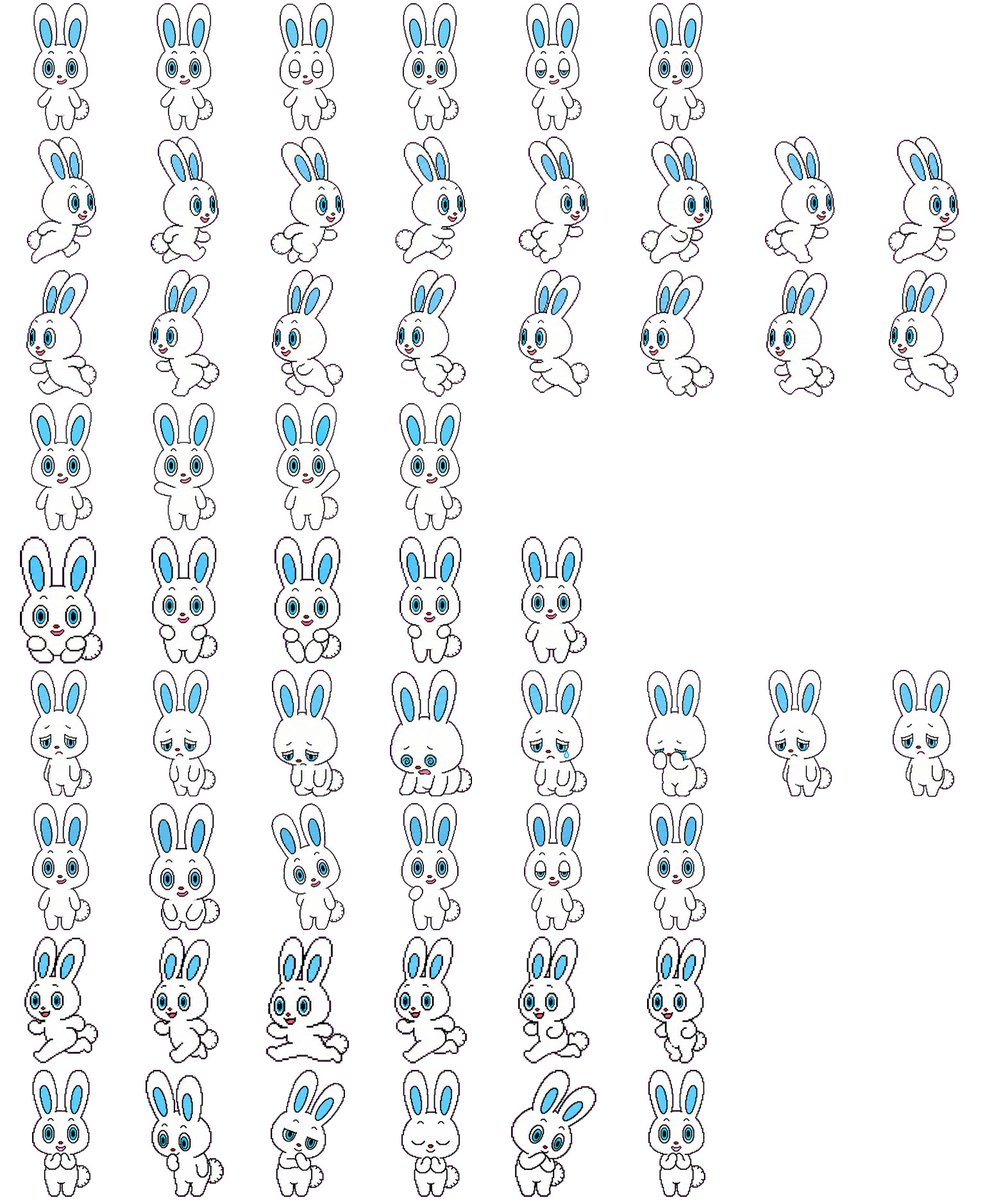
2D Game Rabbit Sprite Sheet AI Image Prompt
Using REFERENCE_0 as the character-design base, convert the character sheet into a clean 2D game sprite sheet on a plain white background. Preserve the rabbit character’s proportions, black outline style, blue inner ears, blue eyes, small red nose, and fluffy tail, but remove all Japanese labels and reference-sheet headings. Generate 57 separate full-body sprites arranged in a loose grid with transparent-looking spacing between poses. Include these visible rows: 6 small front-facing idle/expression sprites; 8 right-facing running sprites; 8 more right-facing running/stride sprites; 4 front-facing neutral idle sprites; 5 front-facing cute/holding-paws sprites; 8 sleepy, sad, crouching, and low-energy sprites; 6 front-facing cheerful/neutral expression sprites; 6 dynamic running or hopping sprites; and 6 bottom-row cute reaction sprites including shy, surprised, bashful, eyes-closed smiling, tilted-head, and hands-near-mouth poses. Keep the line art simple and consistent, like a hand-drawn cartoon sprite sheet for a 2D platformer or casual mobile game, with each sprite isolated and no shadows, props, text, borders, or background scenery.
Content: Character design based on reference image, converted to 2D game sprite sheet. Includes subject (rabbit), pose list (9 rows, 57 sprites), style (hand-drawn cartoon, black outline), background (solid color), layout (loose grid), removal of non-core elements (labels, shadows).
Pros: Detailed sprite count and pose distribution reduces randomness; clear character features ensure style consistency.
Cons: Excessive detail may overwhelm AI; reference image content not described.
Reference image: Clearly depends on reference image (REFERENCE_0)
Curated from publicly available creative examples. Prompts and commentary are edited and organized by this site. Please contact us with any rights concerns. Copyright & Privacy